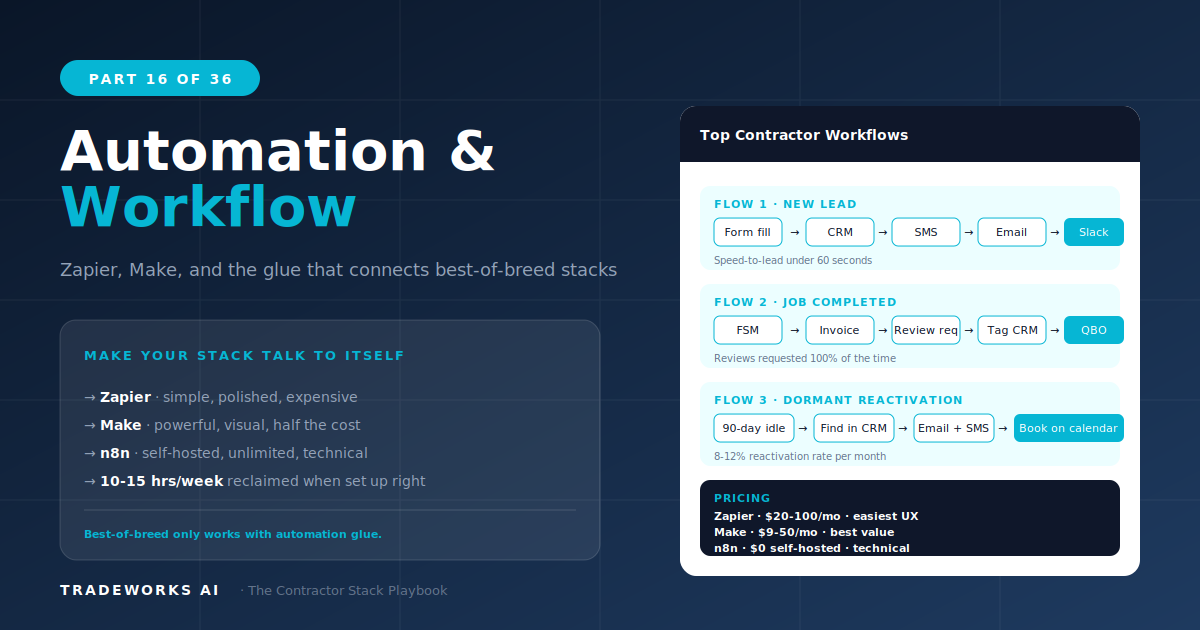
Contractor Stack · Part 16
Automation — Zapier, Make, and Workflow Orchestration
The best automation platform for contractors is Zapier (Free–$599/month), which connects more contractor software tools than any alternat...
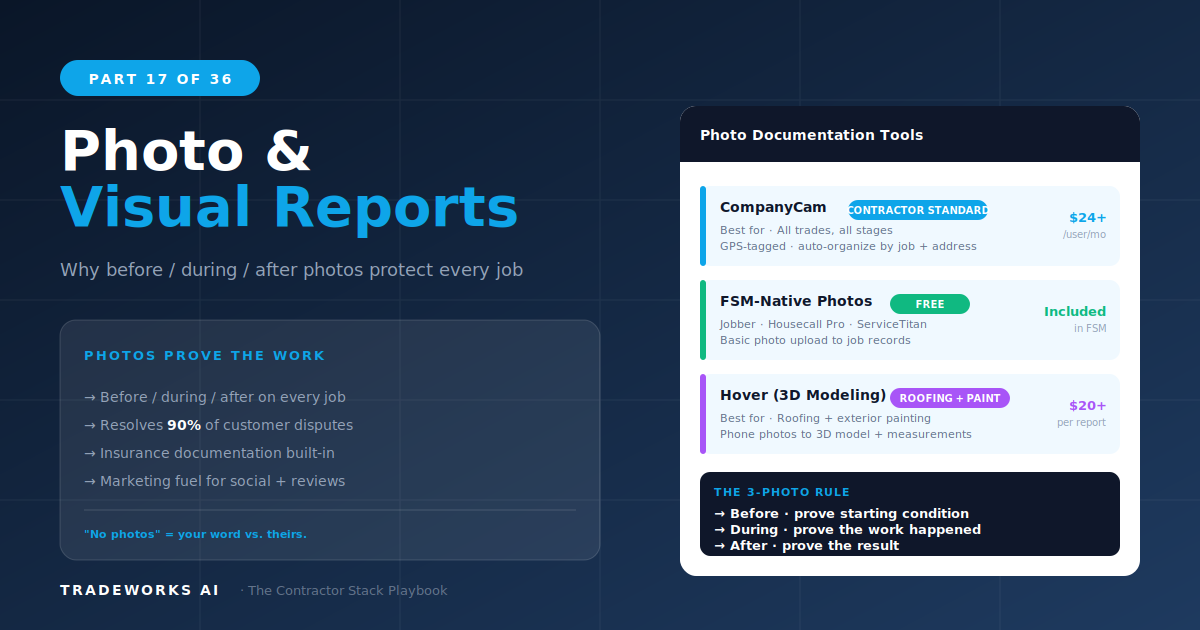
The best photo documentation software for contractors is CompanyCam ($19–$29 per user per month), which provides GPS-tagged, time-stamped job-site photos automatically organized by project and location. Photo documentation serves three business functions: dispute protection (proving work was completed correctly), customer communication (showing homeowners what was found and what was done), and marketing content generation (before/after photos for social media and proposals). Every contractor should document every job with photos. The question is whether FSM-native photo features are sufficient or whether a dedicated platform like CompanyCam justifies the additional cost.
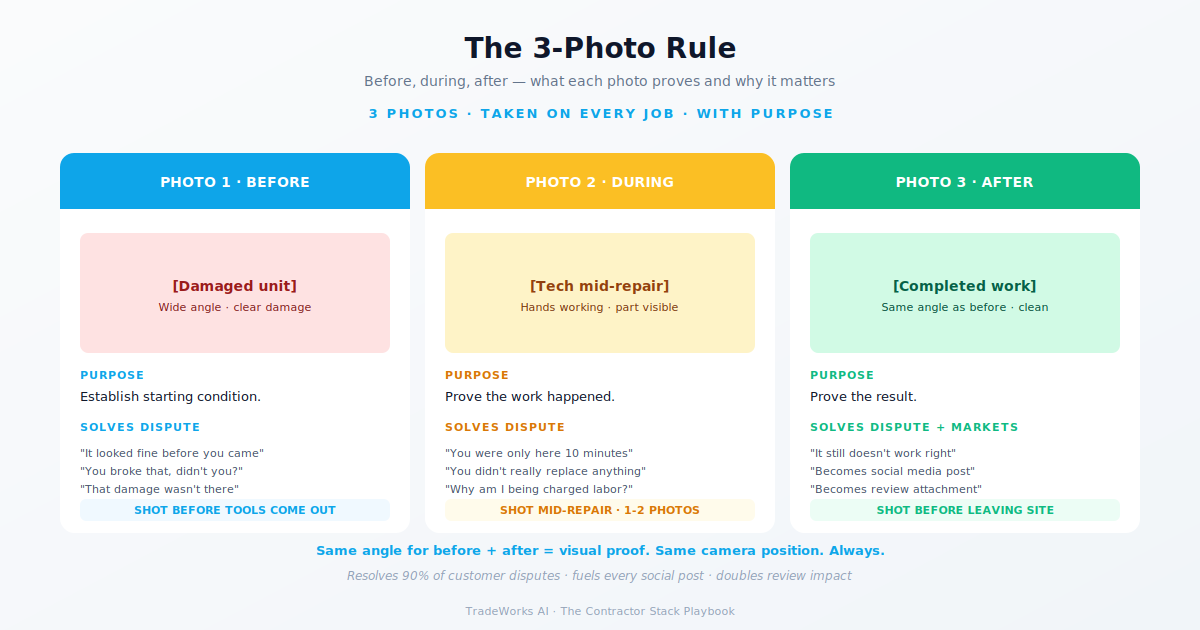
A customer claims the technician damaged their drywall during an AC installation. Without photos, it is the contractor’s word against the customer’s. With GPS-tagged, time-stamped photos taken before and after the work, the contractor has indisputable evidence of the property’s condition at both points. A single prevented dispute can save $1,000 to $10,000 in repair costs, insurance claims, or legal fees — paying for years of CompanyCam subscriptions in one incident.
A plumbing technician crawls under a house and finds corroded pipes, evidence of a previous amateur repair, and a slow leak that the homeowner did not know about. Describing this verbally is one thing. Sending the homeowner annotated photos showing exactly what was found, with arrows and text labels pointing to each issue, transforms a verbal explanation into a visual case for the recommended repair. Photo-supported estimates close at higher rates because the homeowner sees the problem rather than imagining it.
Before/after photos are the single most effective content type for home service social media. A dramatic HVAC installation, a bathroom remodel transformation, or a pristine cleaning result photographed professionally generates more engagement than any text post. CompanyCam’s organized photo library gives the marketing team (or social media manager) a searchable archive of job-site imagery to draw from, eliminating the constant request to technicians for “send me photos from that job.”
CompanyCam is the category leader for contractor photo documentation. Every photo taken through the app is automatically GPS-tagged (proving location), time-stamped (proving when), and organized by project. The photo timeline creates a visual history of every job the company has ever worked on, searchable by address, customer, or date.
Key features that justify the subscription over FSM-native photos: annotation tools (draw arrows, circles, and text on photos before sending to customers), photo reports (compile multiple photos into a branded PDF report), proposal integration (Part 11), and team collaboration (all technicians’ photos appear in real time for office staff to review). Integration with most FSMs is available via Zapier.
At $19 to $29 per user per month, CompanyCam is cost-effective for teams of 3 or more technicians. For a solo operator, FSM-native photos may be sufficient unless dispute protection or photo-based proposals are priorities.
8-Criteria Score: Trade Fit 5/5, Size 4/5, Integration 4/5, Mobile 5/5, Learning Curve 5/5, Pricing 4/5, Data Ownership 4/5, Support 4/5. Composite: 35/40.
TechMedia adds video documentation to the photo equation. Technicians can record video walkthroughs of issues, annotate them, and send to customers as visual explanations. The use case is strongest for complex diagnostics where a 30-second video explains what 10 photos cannot. Pricing requires contacting sales directly, which flags as a concern on the 8-Criteria Framework’s pricing transparency criterion.
FSM-native photo features (Housecall Pro, Jobber, ServiceTitan) attach photos directly to job records. This is sufficient for basic documentation: before/after pairs, equipment photos, and customer sign-offs. The limitation is organization and retrieval — finding a specific photo from a job 6 months ago in an FSM is significantly harder than in CompanyCam’s searchable, GPS-organized library.
Regardless of the tool, establish a minimum photo standard for every job:
Before photos: Equipment/area condition before work begins. Minimum 3 angles.
Problem documentation: Close-ups of the issue being repaired. Annotated if sending to customer.
During work: Key installation steps, code compliance points, hidden conditions discovered.
After photos: Completed work from same angles as before photos. Equipment labels, serial numbers.
Site condition: Property areas touched during work, confirming no damage upon departure.
Stage 1–2 (solo/small team): FSM-native photos. Attach before/after to every job record. Upgrade to CompanyCam when team grows past 3 technicians or when you need photo-based proposals.
Stage 2–5 (multi-technician teams): CompanyCam. The organization, annotation, and search capabilities justify the per-user cost. Highest score in this series (35/40).
Complex diagnostics: TechMedia or CompanyCam + Loom for video walkthroughs that explain issues photos alone cannot convey.
For teams of 3 or more technicians at $19–$29/user/month, CompanyCam pays for itself the first time a documented photo prevents a customer dispute ($1,000–$10,000 saved). For solo operators, FSM-native photos are adequate unless you need annotation tools, photo reports, or a searchable photo archive.
CompanyCam integrates with most FSMs via Zapier or direct connections. Photos can be linked to specific jobs, customers, and addresses. The workflow: technician takes photos in CompanyCam, photos automatically appear in the FSM job record, and office staff can view them in real time without requesting the technician to send files.
Absolutely. Before/after photos are the highest-performing organic content type for home service businesses on Facebook and Instagram. CompanyCam’s organized archive makes finding marketing-quality photos easy — search by job type, date, or location instead of scrolling through a technician’s camera roll.
Most contractors are paying $400–900 per month for software they barely use, while losing thousands more in hidden costs from manual processes and missed callbacks. Our free audit grades your stack against the maturity model and identifies the highest-ROI changes you can make this quarter.
The best automation platform for contractors is Zapier (Free–$599/month), which connects more contractor software tools than any alternat...
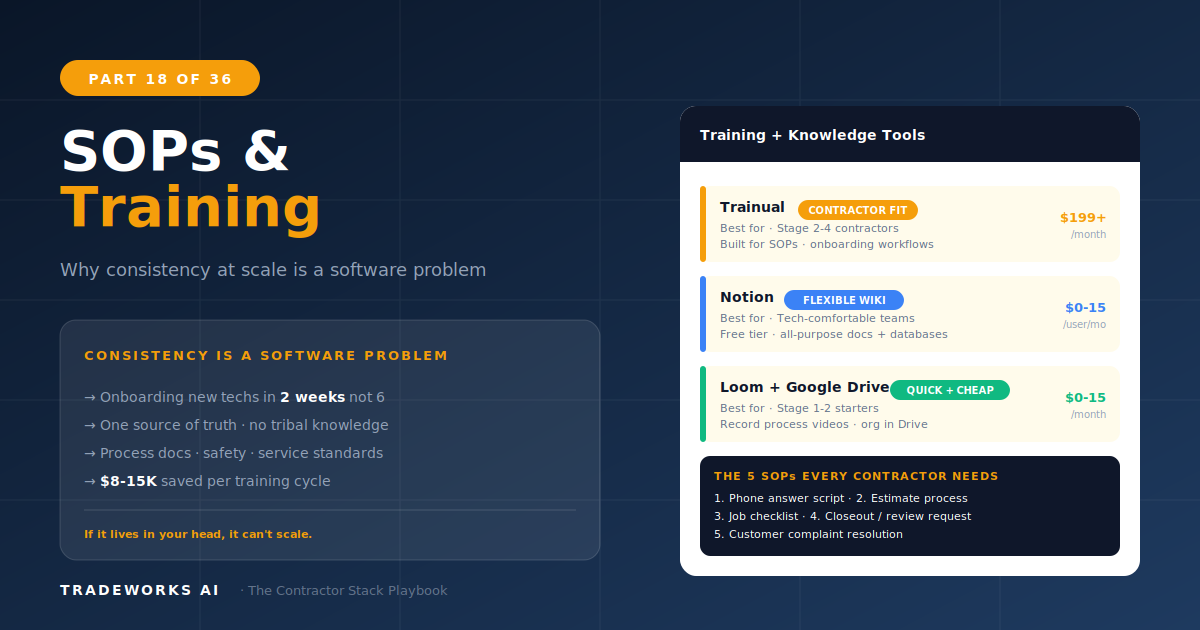
The best training and SOP platform for growing contractor teams is Trainual ($249–$499/month) for structured onboarding playbooks with co...