Contractor Stack · Part 18
SOPs, Training, and Knowledge Management
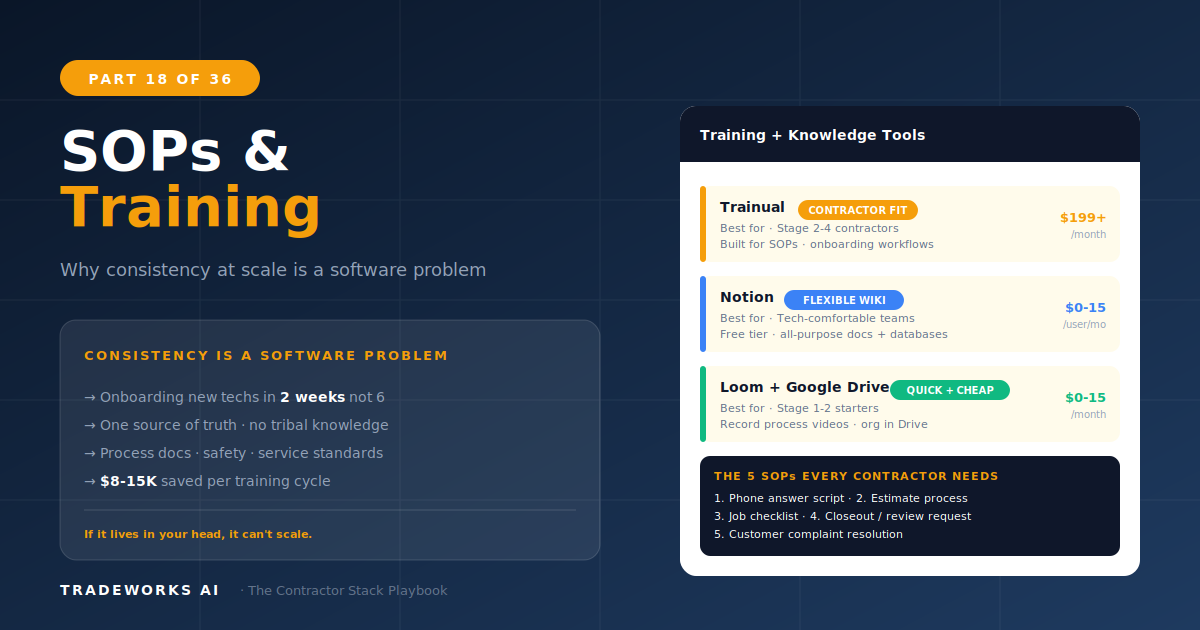
The best training and SOP platform for growing contractor teams is Trainual ($249–$499/month) for structured onboarding playbooks with co...
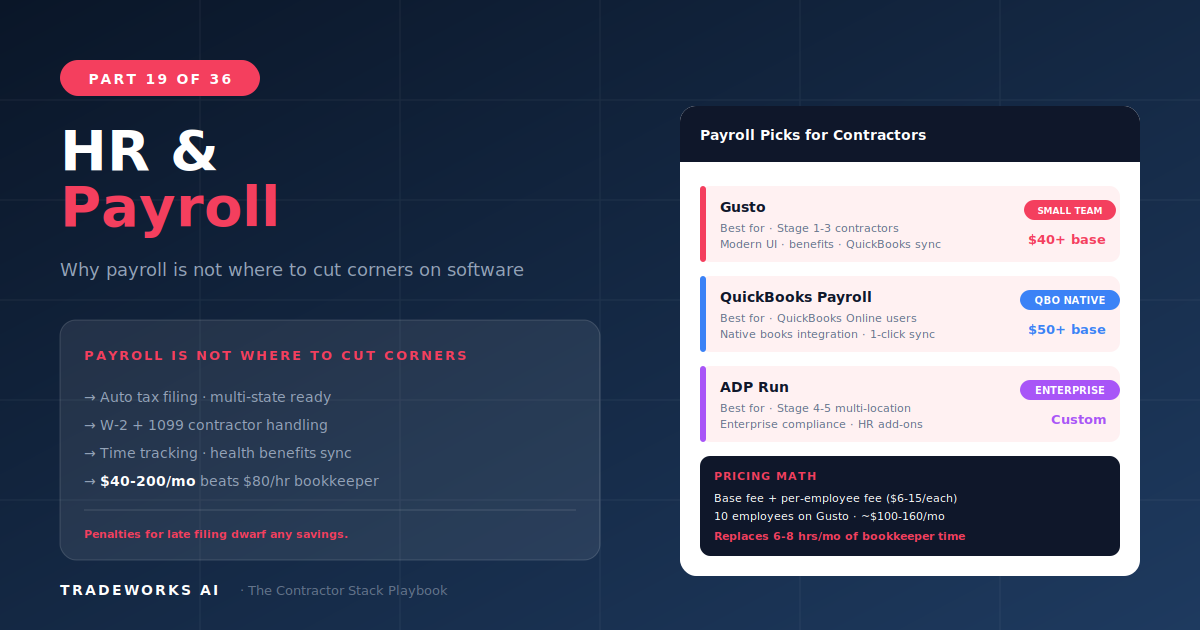
The best payroll software for home service contractors is Gusto ($40 base plus $6 per person per month), which delivers modern, intuitive payroll processing with benefits administration, tax filing, and new hire onboarding in the cleanest interface in the category. Contractor payroll has unique challenges that generic payroll solutions handle poorly: GPS-verified time tracking for field technicians who start and end their day from different locations, overtime calculations that include drive time between job sites, multi-state tax compliance for service areas that cross state lines, and job-based time allocation for accurate labor costing by service type. This guide compares five payroll and HR options against these contractor-specific requirements.
A retail store has employees who clock in at a fixed location, work a shift, and clock out. Payroll is straightforward: hours worked times rate, with deductions. A contractor has technicians who leave their house at 6:30 AM, drive to a warehouse to load parts, drive to three job sites across two counties, spend 45 minutes on a callback that counts as warranty labor, and arrive home at 5:15 PM. Calculating accurate payroll from that workday requires solving several problems simultaneously.
Time tracking accuracy: When did the technician actually start and stop working? GPS-verified clock-in/out eliminates the guesswork of paper timesheets and the “rounding up” that costs contractors an average of 15 to 30 minutes per technician per day in phantom hours.
Drive time and overtime: In most states, drive time between job sites during the workday is compensable time. A technician who works 8 hours on jobs but drives 2 hours between them has a 10-hour day — including 2 hours of overtime if the weekly total exceeds 40.
Job-based time allocation: For accurate job costing, labor hours need to be allocated to specific jobs, service types, and customers. This data feeds into profitability analysis: which services are profitable and which are losing money when labor is properly accounted for.
Multi-state compliance: A Florida contractor whose service area extends into Georgia faces two state tax jurisdictions, different overtime rules, and separate filing requirements. Payroll software must handle both correctly.
Gusto is the modern payroll platform that has become the default choice for small and mid-size businesses, including contractors. The interface is the cleanest in the category: setting up a new employee, running payroll, and filing taxes are intuitive processes that do not require payroll expertise. Full-service tax filing (federal, state, and local) is included at every tier. Benefits administration (health insurance, 401k, workers’ comp) is integrated and easy to manage.
For contractors specifically, Gusto’s value comes from the onboarding workflow (new hires complete I-9, W-4, and direct deposit setup digitally before day one) and the integration ecosystem. Gusto connects with QuickBooks (Part 6), most time tracking tools, and via Zapier to FSM platforms. The time tracking within Gusto is basic — adequate for office staff but insufficient for GPS-verified field technician tracking. Most contractors pair Gusto for payroll with their FSM’s time tracking or Homebase for GPS clock-in.
8-Criteria Score: Trade Fit 3/5, Size 4/5, Integration 4/5, Mobile 4/5, Learning Curve 5/5, Pricing 4/5, Data Ownership 4/5, Support 3/5. Composite: 31/40.
ADP Run is the small business tier of ADP, the largest payroll processor in the United States. For contractors who want the security of an established payroll provider with comprehensive compliance tools, ADP Run delivers enterprise-grade accuracy in a small business package. Tax filing, wage garnishment processing, and HR compliance resources are thorough. The platform handles multi-state payroll seamlessly, which matters for contractors whose service area crosses state lines.
ADP’s trade-off is the interface: functional but not modern. Setup requires more effort than Gusto, navigation is less intuitive, and the sales process involves custom pricing quotes rather than transparent published rates. For contractors who prioritize compliance certainty over UX polish, ADP Run is the safe choice.
8-Criteria Score: Trade Fit 3/5, Size 3/5, Integration 3/5, Mobile 3/5, Learning Curve 2/5, Pricing 2/5, Data Ownership 3/5, Support 4/5. Composite: 23/40.
Homebase is a scheduling and time tracking platform that offers a generous free tier including GPS-verified clock-in, team scheduling, and basic labor cost tracking. For Stage 1–2 contractors who need GPS time tracking without the cost of a dedicated payroll platform, Homebase’s free tier paired with a basic payroll solution provides the field-specific functionality at minimal investment.
FSM-native time tracking (Housecall Pro, Jobber, ServiceTitan) captures hours at the job level, feeding directly into job costing and profitability analysis. The limitation is that FSM time tracking rarely connects seamlessly to payroll processing — most contractors export hours from the FSM and import them into their payroll platform, which introduces a manual step. Zapier can bridge this gap (Part 16) but requires setup.
Every contractor needs to answer one question: where does time get tracked? The options and their implications:
FSM-native: Best for job costing because hours are tied to specific jobs. Requires manual or Zapier export to payroll. Choose this when profitability analysis by job is the priority.
Homebase/dedicated: Best for GPS verification and team scheduling. Integrates with Gusto/ADP for seamless payroll. Choose this when time theft prevention and scheduling are priorities.
Payroll-native (Gusto/ADP): Simplest setup but lacks GPS and job-level tracking. Choose this only for office staff, not field technicians.
The ideal setup for most contractors: track time in the FSM for job costing, and feed those hours into Gusto for payroll processing via Zapier or manual export. This gives you both job-level profitability data and clean payroll processing.
Stage 1–2 (1–5 employees): Homebase free tier (GPS time tracking + scheduling) + Gusto ($40+$6/person). Total: $70–$100/month for complete time tracking and payroll.
Stage 2–4 (5–20 employees): FSM time tracking (job costing) + Gusto (payroll + benefits). Connect via Zapier. Total: $70–$160/month depending on team size.
Stage 3–5 (multi-state, complex): ADP Run or Paychex Flex. Justified when multi-state compliance, wage garnishments, or complex benefit structures exceed Gusto’s scope.
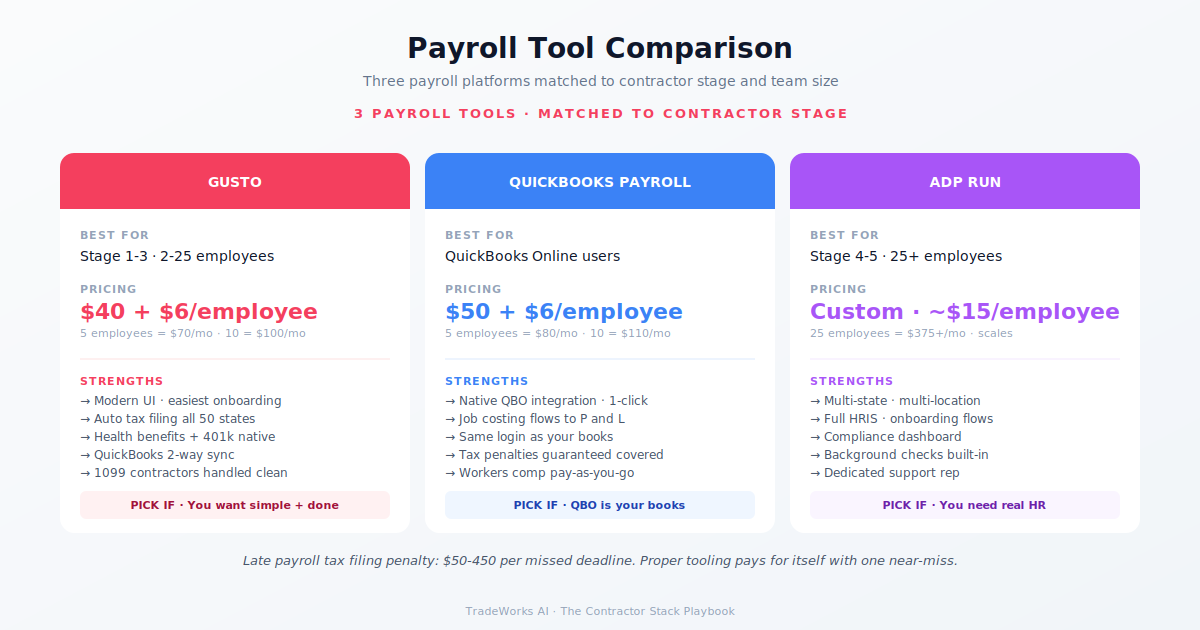
Gusto at $40 base plus $6 per person serves most contractors under 20 employees. A 5-person team costs $70/month, a 10-person team costs $100/month. This includes full tax filing, direct deposit, and W-2/1099 generation. Adding GPS time tracking via Homebase’s free tier keeps total cost under $100/month for small teams.
Yes. GPS-verified clock-in eliminates time theft (averaging 15–30 minutes per technician per day on paper timesheets), provides proof of technician location for customer disputes, and ensures accurate drive time accounting for overtime calculations. At $0 (Homebase free tier) or included in most FSMs, there is no cost barrier.
Gusto for most contractors under $5 million. Better interface, transparent pricing, modern onboarding workflow. ADP Run for contractors needing multi-state compliance expertise, complex benefit structures, or the assurance of the largest payroll processor in the country. Gusto scored 31/40 versus ADP’s 23/40 in our framework, with Gusto winning on UX, pricing, and learning curve.
Most contractors are paying $400–900 per month for software they barely use, while losing thousands more in hidden costs from manual processes and missed callbacks. Our free audit grades your stack against the maturity model and identifies the highest-ROI changes you can make this quarter.
The best training and SOP platform for growing contractor teams is Trainual ($249–$499/month) for structured onboarding playbooks with co...
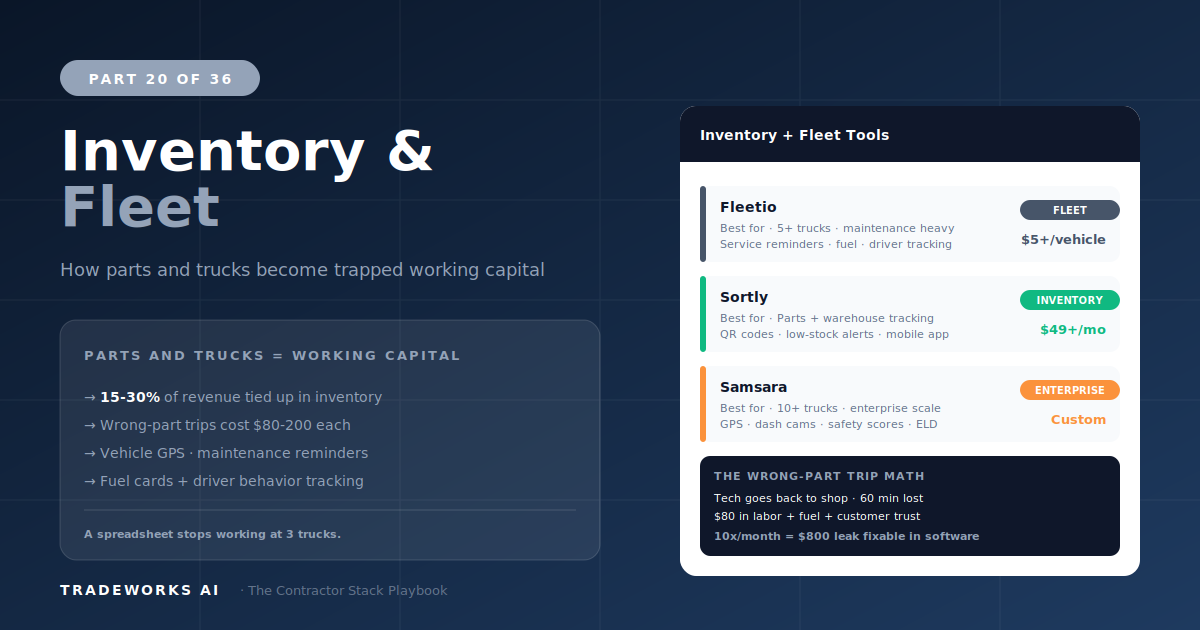
The best fleet management software for contractors is Fleetio ($5–$10 per vehicle per month) for maintenance scheduling, fuel tracking, a...