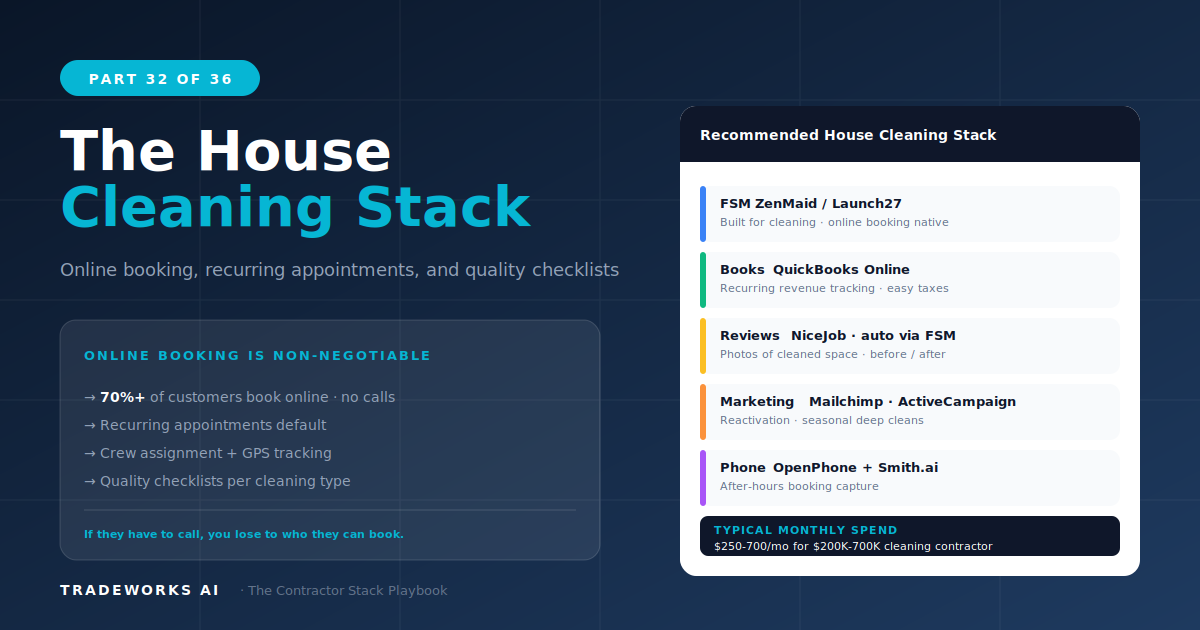
Contractor Stack · Part 32
The House Cleaning Contractor Stack
The recommended software stack for a house cleaning company at Stage 2–3 ($300K–$1M revenue) costs $250 to $600 per month and centers on ...
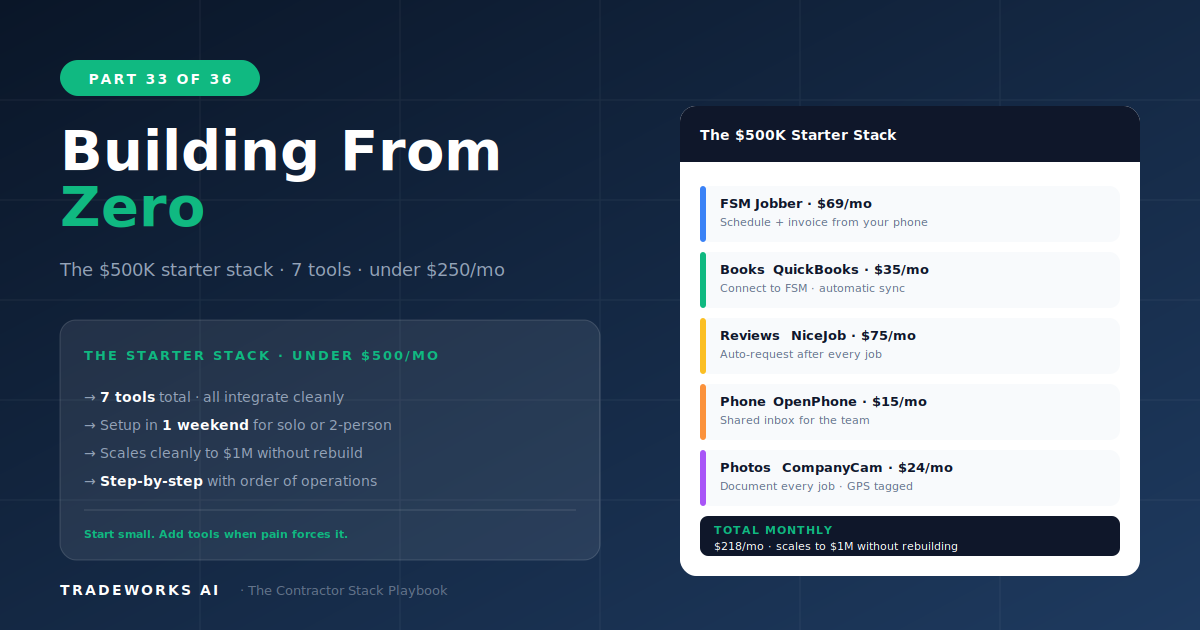
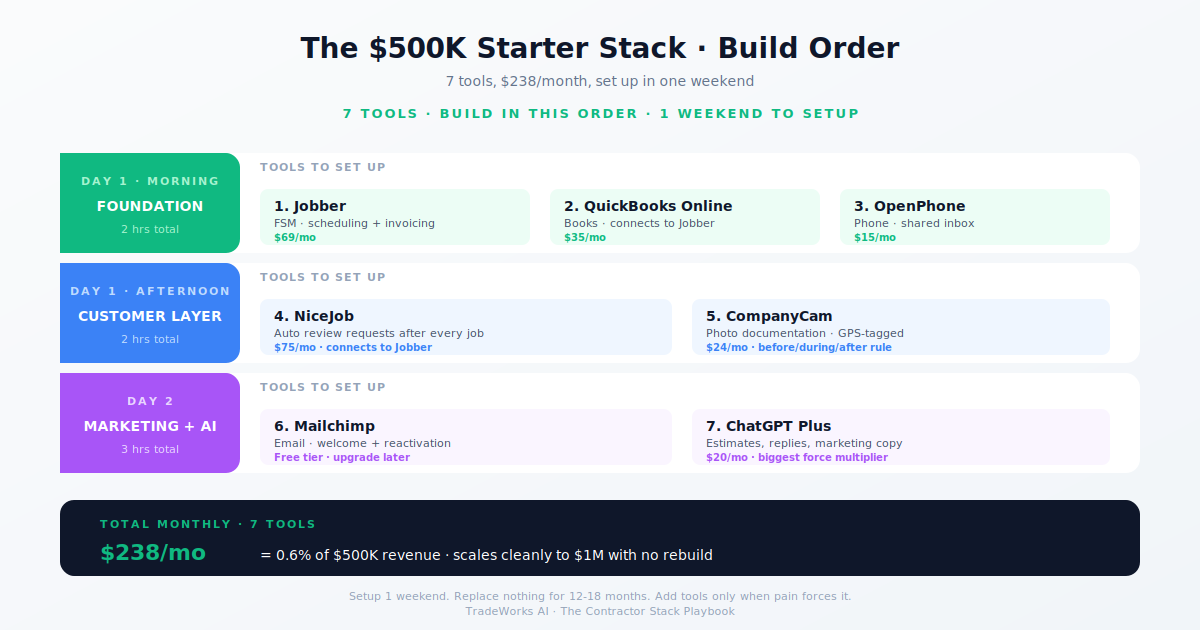
A complete software stack for a startup or small contractor generating up to $500,000 in annual revenue can be assembled in 5 days for $122 per month. The stack includes Jobber for field service management ($49/month), QuickBooks Simple Start for accounting ($30/month), OpenPhone for business phone ($15/month), Google Workspace for email and documents ($14/month for 2 users), 1Password for security ($8/month for 2 users), Backblaze for cloud backup ($6/month), and Homebase for GPS time tracking (free). This guide provides the exact day-by-day setup sequence, configuration steps for each tool, and the integration connections that make the stack function as a unified system from day one.
The order in which you set up contractor software determines whether the tools integrate cleanly or create data silos that require rework. Each tool builds on the one before it: your business email address goes into every subsequent account, your accounting system connects to your FSM, your phone number goes on your website and marketing materials, and your password manager stores credentials for everything.
Setting up in the wrong order — getting the FSM first, then realizing you need a business email, then discovering your phone number is your personal cell — means going back to update profiles, reconnect integrations, and redo customer-facing materials. The 5-day sequence below eliminates this backtracking.
Start with Google Workspace ($7/user/month). This gives you a professional business email ([email protected]), Google Drive for document storage, Google Calendar for scheduling, and Google Meet for video calls. Set up two accounts: one for the owner and one for the office/dispatch. This email address becomes your login for every subsequent tool.
Next, set up QuickBooks Simple Start ($30/month). Connect your business bank account and credit card for automatic transaction import. Create your chart of accounts with service categories that match your trade: HVAC service, HVAC installation, plumbing repair, etc. This structure feeds into job costing and profitability analysis as the business grows.
Both tools take approximately 2 hours total including bank connection verification.
Set up Jobber Core ($49/month). Create your service list with pricing, add your business address and service area, enable online booking, and configure the customer-facing booking page. Import any existing customer contacts (even if it is just a phone contact list). Set up Jobber’s payment processing so you can accept credit cards from day one.
Set up OpenPhone ($15/month). Choose a local business number. Download the app on your phone. Record a professional voicemail greeting that includes your business name, hours, and a promise to return calls within a specific timeframe. Set up the after-hours auto-text response: “Thanks for calling [Business]. We received your message and will return your call by [time] tomorrow.” This auto-text captures leads that call after hours and prevents them from calling the next company.
Connect Jobber’s notification system to send appointment confirmations via the customer’s email. Estimated setup: 3 hours.
Set up Homebase (free tier) for GPS time tracking. Each field technician downloads the Homebase app and clocks in/out with GPS verification. This establishes accurate time records from the first day, preventing the time tracking problems described in Part 19.
Set up 1Password ($4/user/month). Create the business vault. Generate unique passwords for every account created on Days 1–2. Store them in the vault. Invite your team member(s) to the vault. Enable MFA on every critical account: banking first, then email, then Jobber, then QuickBooks.
This security setup takes 1 hour and prevents the cybersecurity vulnerabilities described in Part 22.
Day 4 is configuration day. In Jobber: create 5 to 10 estimate templates for your most common services. Set up your Good/Better/Best pricing tiers (Part 11) for any service above $1,000. Configure your invoice template with business logo, payment terms, and the OpenPhone business number. Enable email/SMS appointment reminders at 24 hours and 1 hour before service.
Day 5: Set up Backblaze ($6/month) on your office computer for cloud backup. Run the first backup and verify it completes. Connect Jobber to QuickBooks so invoices and payments sync automatically (Jobber’s native QuickBooks integration handles this). Test the complete workflow: create a test customer → create an estimate → convert to job → complete job → send invoice → record payment → verify it appears in QuickBooks.
The Day 1–5 stack covers operations and security. Growth tools come next, added one at a time as the business proves it can use them:
Month 2: NiceJob ($75/month). Review automation. Every completed job triggers a review request. Start building the Google review presence that drives local search visibility (Part 7).
Month 3: ActiveCampaign Lite ($29/month). Email marketing. Build the new customer welcome sequence and the first seasonal campaign (Part 8).
Month 4: CompanyCam ($19/user/month). Photo documentation. Start documenting every job with before/after photos. This builds the marketing portfolio and dispute protection simultaneously (Part 17).
Month 5–6: Zapier ($20/month). Automation. Connect Jobber to NiceJob (auto review request on job complete) and Jobber to ActiveCampaign (new customer welcome sequence). These two automations fix the two biggest manual task failures (Part 16).
By month 6, the stack has grown from $122/month to approximately $265/month — still well within the 1–3% of revenue guideline for a $500K contractor (Part 3).
The $122/month stack replaces approximately $1,500 to $3,000 per month in hidden costs:
Jobber eliminates missed appointments (average value: $300–$500 per missed job, 2–4 per month = $600–$2,000 prevented)
OpenPhone captures after-hours leads that previously went to voicemail (1–2 per month at $400 avg = $400–$800 captured)
QuickBooks reduces bookkeeper reconciliation time by 5–10 hours/month at $30–$50/hour = $150–$500 saved
1Password prevents the credential compromise that costs small businesses $50,000–$200,000+ per incident (Part 22)
Conservative ROI: 10–25x in the first year. The stack pays for itself in the first month from prevented missed appointments alone.
Buying ServiceTitan at $500K revenue. Per-technician pricing at this stage consumes the entire software budget. Jobber at $49/month does everything a startup needs. ServiceTitan is a Stage 3–4 tool.
Skipping the business phone. A personal cell phone mixing business and personal calls is the most common operational mistake for new contractors. OpenPhone at $15/month solves it permanently.
Adding marketing tools before operational tools are working. Master Jobber scheduling and QuickBooks invoicing before adding NiceJob, ActiveCampaign, or any marketing software. Operations first, growth second.
Not setting up security from day one. Every day without a password manager and MFA is a day vulnerable to credential theft. The $8/month cost of 1Password is trivial compared to the risk.
$122 per month for the complete startup stack: Jobber ($49), QuickBooks ($30), OpenPhone ($15), Google Workspace ($14), 1Password ($8), and Backblaze ($6). Add growth tools over months 2–6 to reach approximately $265/month. This stays within the 1–3% of revenue guideline for contractors under $500,000.
5 days following the sequence in this guide, working 2–3 hours per day. Day 1: email and accounting. Day 2: FSM and phone. Day 3: time tracking and security. Days 4–5: configuration, integration, and testing. Total active setup time: approximately 12–15 hours.
Business email (Google Workspace) first, then accounting (QuickBooks), then FSM (Jobber), then business phone (OpenPhone). This order ensures each subsequent tool uses your professional email, connects to your financial system, and displays your business phone number. Setting up in the wrong order creates rework.
Add NiceJob for reviews at month 2, ActiveCampaign for email at month 3, and CompanyCam for photos at month 4. Upgrade from Jobber to Housecall Pro when revenue exceeds $750K and you need flat-rate team pricing and marketing features. The 5-Stage Maturity Model from Part 1 maps every upgrade trigger.
Most contractors are paying $400–900 per month for software they barely use, while losing thousands more in hidden costs from manual processes and missed callbacks. Our free audit grades your stack against the maturity model and identifies the highest-ROI changes you can make this quarter.
The recommended software stack for a house cleaning company at Stage 2–3 ($300K–$1M revenue) costs $250 to $600 per month and centers on ...
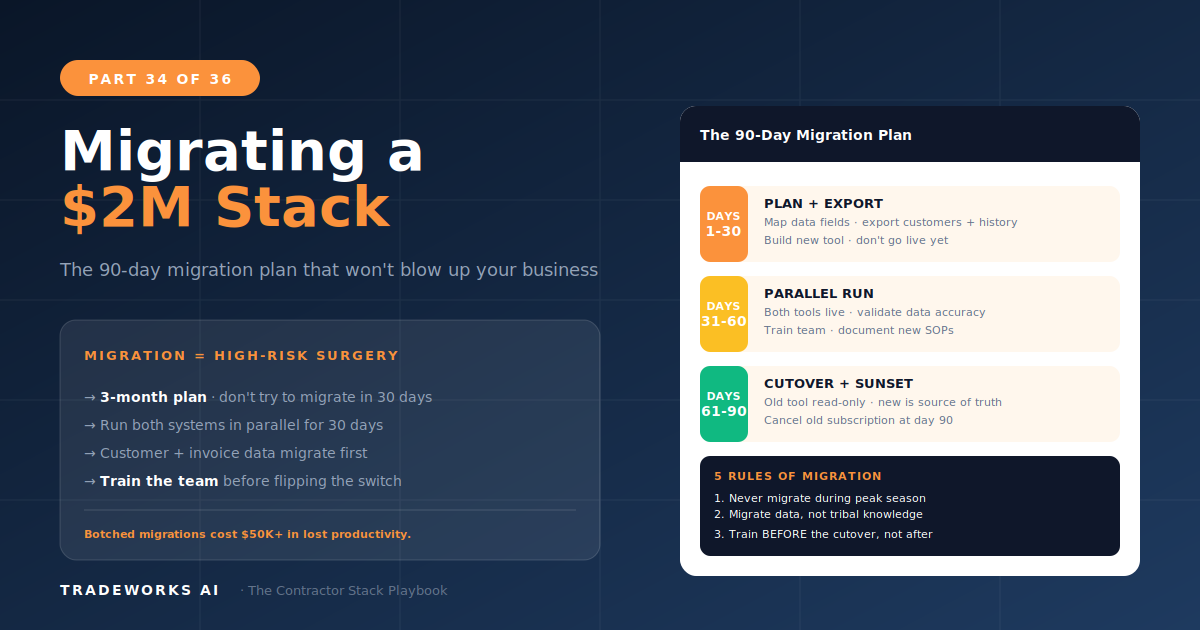
Migrating a contractor’s software stack from one FSM platform to another takes 8 to 10 weeks and costs $5,000 to $15,000 in transition ex...