Email Marketing · Part 9
Review Request Emails
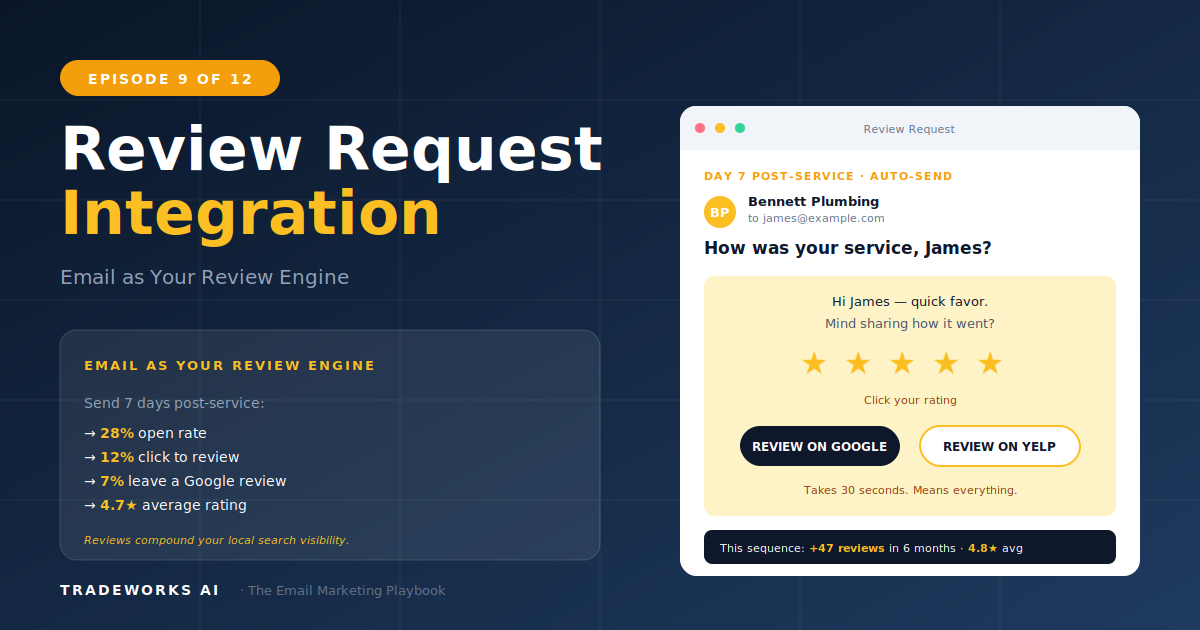
2-email sequence with the satisfaction gate that builds 4.8-star reputation.
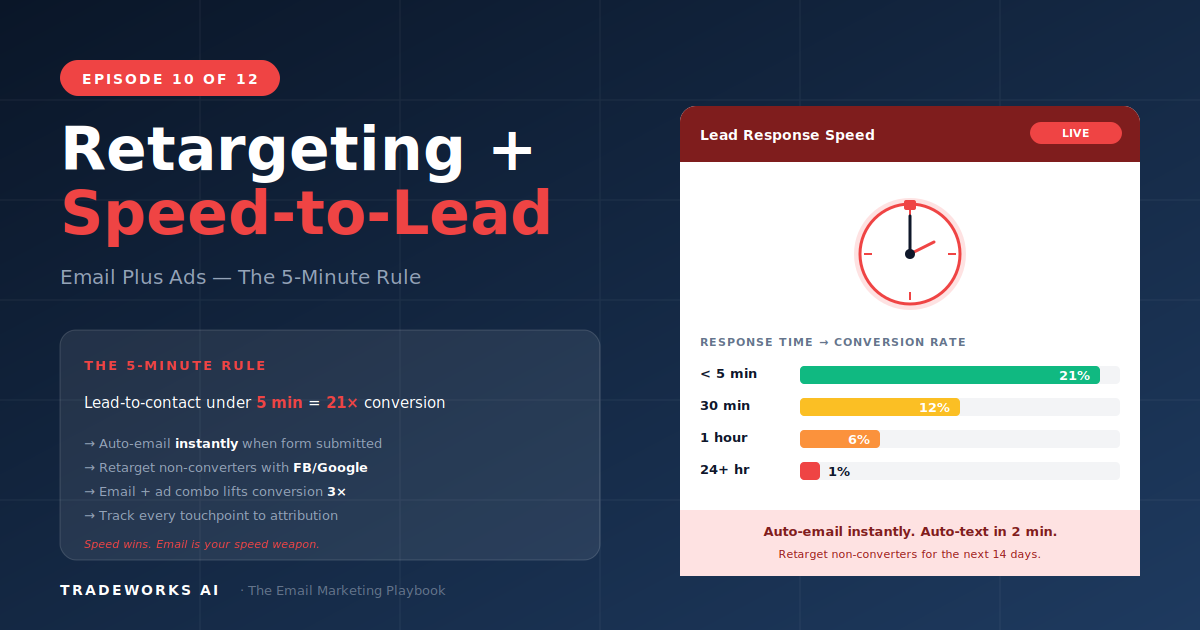
The contractor who responds to a new lead within 5 Minutes is 21 times more likely to qualify that lead than one who waits 30 minutes. For home service businesses, speed-to-lead is the single highest-leverage conversion variable, and email automation is the mechanism that makes sub-5-minute response possible at scale.
Combined with retargeting ads that keep your brand in front of unconverted leads and existing customers, the email-plus-ads integration creates a multi-touch system where no qualified prospect falls through the cracks. A typical contractor running this combined system converts 15–30% more leads into booked jobs and recovers 8–12% of website visitors who left without calling.
For contractors, this matters because your leads are high-intent. A homeowner who fills out a form on your website or clicks a Google Ad for AC repair is not casually browsing. Their AC is broken. Their toilet is overflowing. They will call the first company that picks up the phone or sends a meaningful response.
Triggers instantly when a new lead enters your system through any digital channel: website form, Facebook lead ad, Google LSA, or landing page. Works in parallel with your office team's phone response, not as a replacement.
Subject: "We got your request, [First Name]. Here's what happens next."
Body: Thank the lead by name. Confirm what they requested. Set a timeline: "A member of our team will call you within 15 minutes during business hours." Include your phone number prominently. Add one trust element: years in business, star rating, license number, or a recent review snippet. This email is not a sale. It is an acknowledgment that removes anxiety.
Subject: "While you wait: what to check before we arrive for your [service type]"
Body: Provide 2–3 practical tips the homeowner can check immediately. For AC leads: "Check your thermostat batteries. Check your air filter. Check your breaker panel for a tripped circuit." Demonstrates expertise and keeps your brand at the top of their inbox if a competitor responds.
Trigger: Only sends if the CRM/FSM has not logged a completed call.
Body: Brief, direct. "We tried reaching you by phone and wanted to follow up. Call us directly at [phone] or reply with a good time to reach you."
If the lead comes in outside business hours, the instant response email is identical but the timeline adjusts: "Our office opens at [time] tomorrow. You will receive a call within 15 minutes of opening. If this is an emergency, call our 24/7 line at [phone]." An after-hours lead who receives a professional response is significantly less likely to continue searching for competitors the next morning.
Email handles leads who give you their contact information. Retargeting handles everyone else: the 96–98% of website visitors who leave without filling out a form or making a call.
Retargeting ads typically convert at 2–4x the rate of cold ads because the audience is already familiar with your brand.
Setup requires the Meta Pixel and Google Ads tag on your website, Zapier connecting ActiveCampaign to Facebook Custom Audiences ($20–50/month), and 2–4 hours of initial configuration.
Retargeting budgets for contractors are modest because audiences are small and specific:
Cost per booked job from retargeting: $50–150. Compared to cold advertising at $200–600. Fund retargeting first, then allocate remaining budget to cold prospecting.
When email and ads work together, attribution becomes more accurate:
Every touchpoint contributed. Track the first touch and the last touch and accept that the middle touches amplified both.
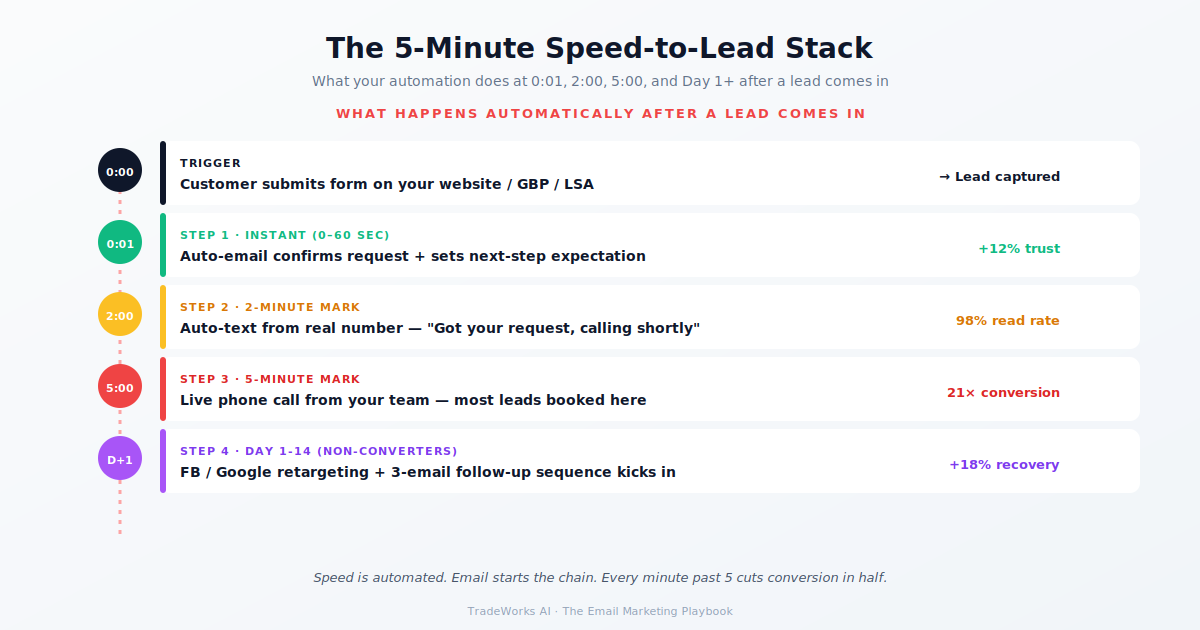
Speed-to-lead automation costs $0 beyond your existing email platform. Retargeting costs $150–1,500/month and produces $50–150 cost-per-booked-job. The combination converts 15–30% more leads than either channel alone. Read Part 11 next: the metrics that tell you what is working.
If you already have ActiveCampaign and Zapier from Part 4, the speed-to-lead sequence is 2–3 hours of setup time with no additional platform cost. You need a Zapier trigger from your web form or Facebook lead form to ActiveCampaign, and the three-email automation. Total additional cost: $0.
Facebook requires a minimum of 100 contacts in a custom audience for targeting. Google Customer Match requires 1,000 contacts minimum. If your list is smaller, focus on website visitor retargeting (pixel-based) rather than email list retargeting until your database grows.
Start with one platform where your audience is most active. For residential contractors in most markets, Facebook and Instagram retargeting performs best because homeowners spend more passive browsing time on social media. Add Google Display retargeting as a second layer.
Track these three metrics: assisted conversions (Google Analytics shows which channels contributed), email-to-ad overlap (how many customers in your retargeting audience also received emails), and incremental lift (compare booking rates for customers who received email only vs email plus retargeting).
Uploading email lists to Facebook Custom Audiences and Google Customer Match is compliant with platform policies as long as the contacts opted in to receive communications from your business. Facebook and Google hash the email addresses during upload so the raw data is not shared.
Speed-to-lead works regardless of ads — it is purely an email automation triggered by inbound forms. Skip the retargeting layer if you have no ad budget. The 5-minute email response alone produces 21x lift on lead-to-customer conversion vs no automated response.
Leads contacted at 30 minutes convert 21x worse than leads contacted at 5 minutes. Our free audit clocks your speed-to-lead and shows where automation closes the gap.
2-email sequence with the satisfaction gate that builds 4.8-star reputation.
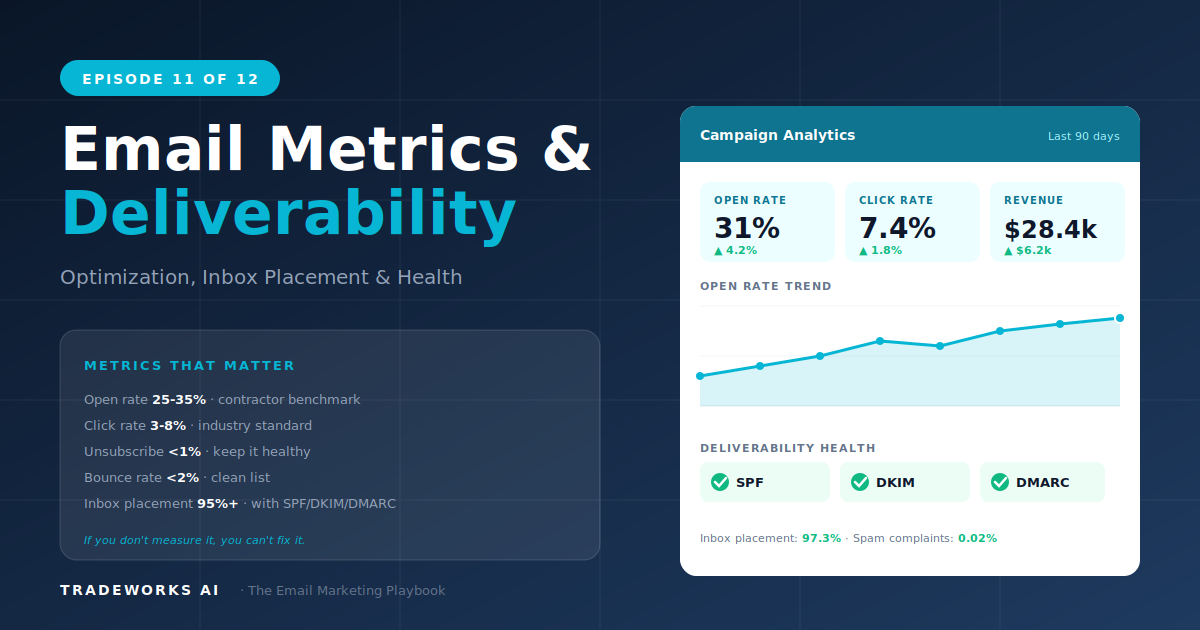
The 5 numbers that matter and the deliverability checklist.