Email Marketing · Part 2
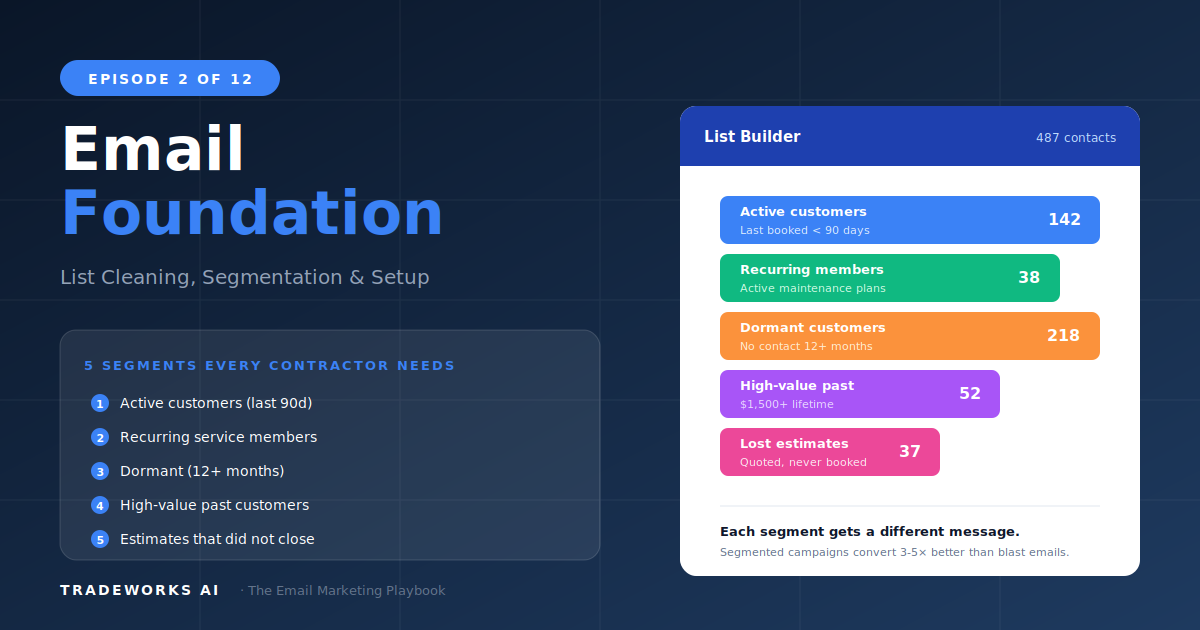
Email Foundation: List + Segments
List cleaning, the 5 segments every contractor needs, and platform setup.
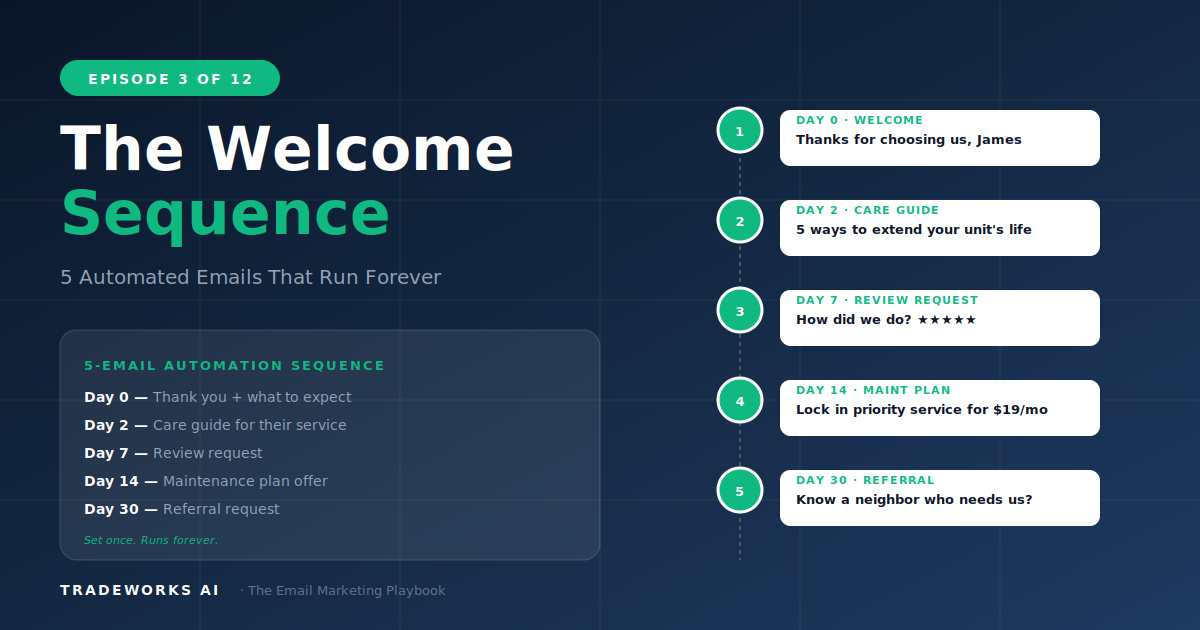
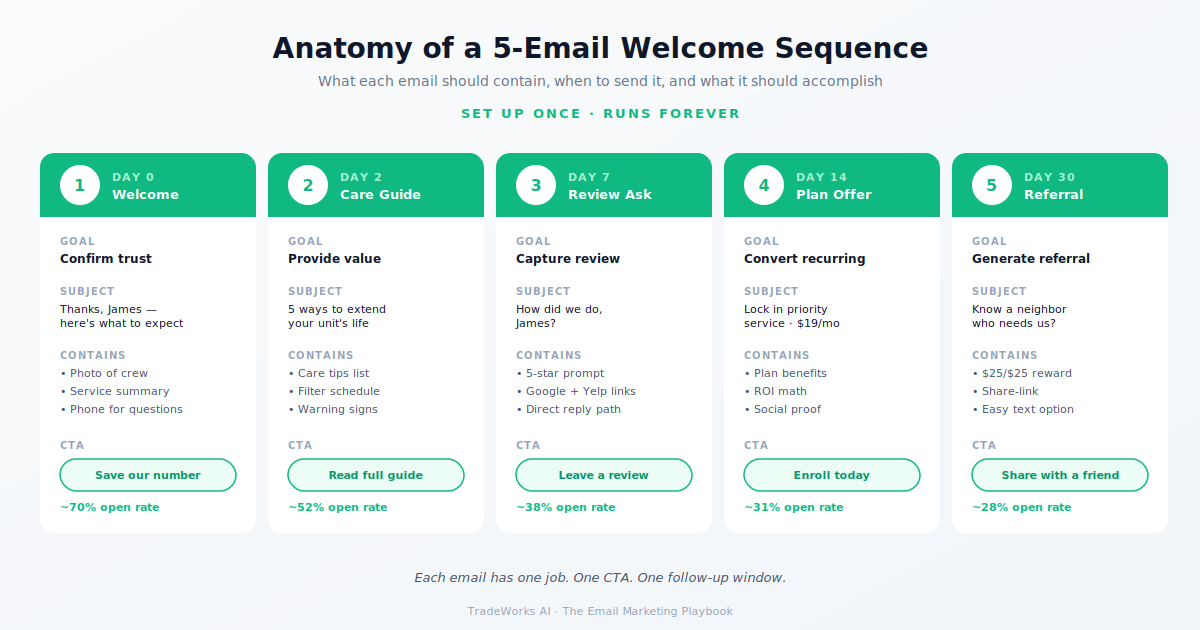
The welcome sequence is a 5-email automated series triggered when a customer completes their first service with your company. It runs without manual intervention once configured. The sequence takes a new customer through five stages over 30 days: immediate post-service thank you and care instructions (sent same day), educational content relevant to their service (day 3), review request timed for maximum conversion (day 7), referral request while satisfaction is highest (day 14), and maintenance plan or next-service offer (day 30).
Contractors who implement this sequence see three measurable outcomes: review acquisition rates increase 40–60% versus no-sequence baselines, repeat booking rates increase 25–35% because the customer re-engages before going dormant, and referral rates increase 2–3x versus contractors who rely on passive word-of-mouth. The welcome sequence is the single highest-ROI email automation because it operates at the moment of peak customer satisfaction — immediately after service.
Without a welcome sequence, here is what happens after every job: the technician finishes, the customer pays, the invoice closes in the FSM, and then silence. No follow-up. No educational content. No review request. No referral ask. Nothing until the customer either needs another service (months later) or forgets you entirely.
The welcome sequence fills that gap automatically. Once configured, it runs for every new customer without anyone on your team doing anything. The FSM or email platform triggers the sequence when a job is marked complete. Five emails send over 30 days. The customer moves from first-time buyer to engaged repeat customer.
The timing is critical because customer satisfaction peaks in the 24–48 hours after a successful service call. Every day that passes after service, the customer feels less connected to your business. By day 30 without contact, they are functionally dormant.
Send timing: 2–4 hours after job completion. Trigger: job status marked complete in FSM.
Subject line options:
Content framework: Thank the customer by name. Reference the specific service performed and the technician. Provide 2–3 care or maintenance tips relevant to the service. Include your direct phone number. No sales pitch. No review request yet. Pure value and warmth.
Expected metrics: 55–70% open rate (highest of the sequence), 15–25% click rate on care tips.
Purpose: position your company as the knowledgeable expert. Builds relationship beyond transactional service.
Subject line options:
Content: One educational article or tip set relevant to the service they received. 300–400 words maximum. Genuinely useful. Not a sales pitch disguised as education.
Expected metrics: 35–50% open rate, 8–15% click rate.
Send timing: 7 days after service. This is the optimal window — close enough to remember details, far enough for the full value to be felt.
Subject line options:
Content: Reference the specific service and technician. The ask: direct, specific, and easy. One-click link to Google review page. Single prominent CTA button: Leave a Review.
Expected metrics: 30–45% open rate, 5–10% of total recipients leave a review. This single email, running automatically for every customer, can generate 3–8 new reviews per month. (See Part 9 for the full review system.)
Send timing: 14 days after service. Satisfaction is still high. The customer has had time to tell friends verbally.
Subject line options:
Content: The referral ask: "If you know a homeowner, friend, or neighbor who needs [service type], we would love to take care of them the same way we took care of you." Optional referral incentive: $25–50 credit for both sides. CTA: forward this email or share our number.
Expected metrics: 25–40% open rate, 3–8% referral conversion. (Full referral playbook in Part 8.)
Purpose: convert the one-time customer into recurring revenue.
Content: Check-in: "How is your [system] performing since the service?" Then introduce the maintenance plan or next recommended service. Specific benefits: priority scheduling, discount on parts, annual tune-up included. Price clearly stated. Enrollment CTA.
Alternative for trades without maintenance plans: recommend the next logical service. Plumbing repair customer gets water heater flush recommendation. Electrical customer gets surge protection offer.
Expected metrics: 25–35% open rate, 1–3% enrollment or booking conversion. (Full plan enrollment system in Part 7.)
The welcome sequence must be automated — not manually sent for each customer.
If using a dedicated email platform, Zapier connects your FSM to your email tool. Trigger: job completed in Jobber/HCP/ServiceTitan. Action: add contact to Mailchimp/ActiveCampaign with new-customer tag. Setup takes 15–20 minutes.
The welcome sequence runs once to set up and then operates indefinitely without manual effort. Every new customer gets the same 5-email experience. Reviews accumulate automatically. Referrals generate without asking in person. Maintenance plan enrollment grows steadily.
Across 50–100 new customers per year, the sequence generates dozens of reviews, a steady referral stream, and measurable recurring revenue growth — all from automation configured once. Read Part 4 next: the platform comparison.
Yes. The timing in this article is optimized for most contractor businesses. Adjust based on your specific trade: shorter gaps for emergency services (customer forgets faster), longer gaps for project services (customer needs more time to evaluate). The principles matter more than exact days.
Ideally your automation skips the review request if a review is detected. Most platforms cannot detect this automatically. Practical approach: send the review request anyway — if they already left one, they will simply ignore it. Alternatively, add a line: 'Already left us a review? Thank you so much — you can skip this one.'
Minimal images. Plain-text-style emails with your logo in the header outperform heavily designed emails for contractor audiences. These should feel personal, not corporate. A simple text email feels like a follow-up from a real person.
Email platforms use merge fields: [First Name], [Service Type], [Technician Name], [Service Date]. Set these fields correctly during import and the platform inserts them automatically. One template serves every customer with personalized details.
Replace with a next-service recommendation. Plumbing repair customer gets water heater maintenance offer. HVAC customer gets duct cleaning suggestion. The goal is a reason to re-engage, not specifically a plan enrollment.
Review results within 2–4 weeks (Email 3 sends on day 7 for each customer). Referral results within 4–8 weeks (Email 4 sends on day 14). Maintenance plan enrollment within 6–8 weeks. Full compounding effect visible after 3–6 months of every new customer running through the sequence.
Without a welcome sequence, every new customer is a lost review and a lost referral. Our free audit shows what the missing automation is costing you in measurable terms.
List cleaning, the 5 segments every contractor needs, and platform setup.
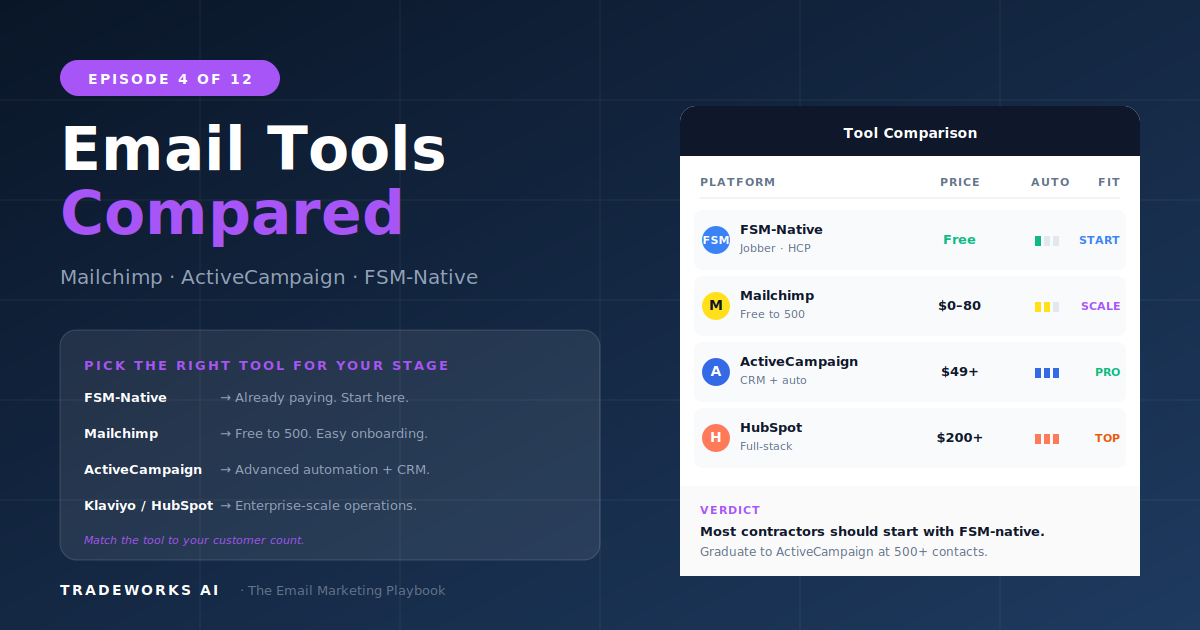
Honest comparison: Mailchimp, ActiveCampaign, Constant Contact, and FSM-native.