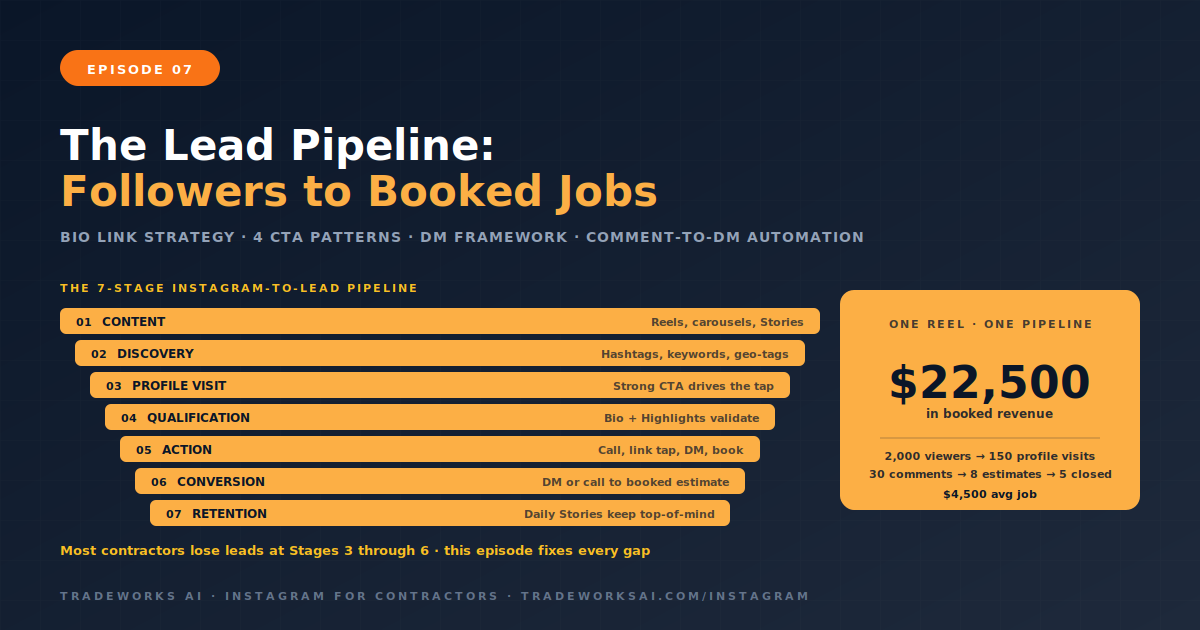
Instagram · Part 7
The Instagram-to-Lead Pipeline for Contractors: Converting Followers into Booked Jobs
Continue the Instagram for Contractors series with Part 7 of 8.
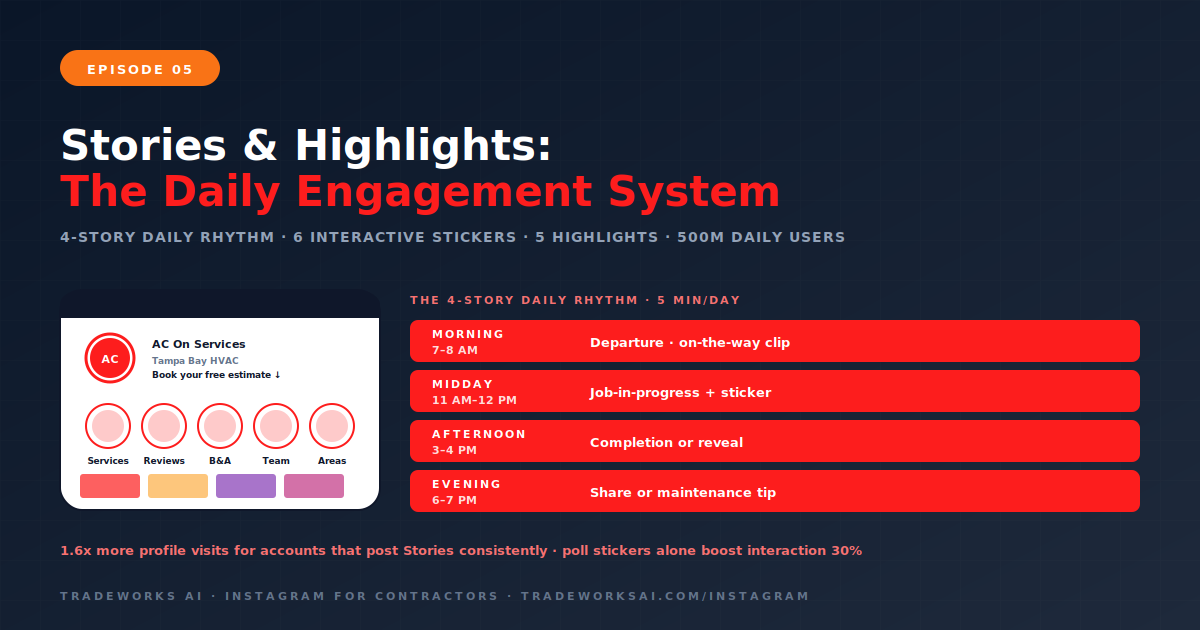
Instagram Stories are the daily engagement channel that keeps your business visible, conversational, and top-of-mind with the homeowners who already follow you. Over 500 million people use Instagram Stories every day, and accounts that post Stories consistently receive 1.6 times more profile visits than those relying on feed posts alone. Stories disappear after 24 hours, which makes them the perfect format for real-time, behind-the-scenes, and interactive content that would feel out of place on your permanent feed. For contractors, a morning job-site departure clip, a midday progress poll, and an afternoon completion reveal take less than five minutes total and keep your account at the top of your followers’ home screens all day.
Highlights are the permanent, organized collections of your best Stories that live below your bio. They transform your profile from a simple photo feed into a browsable mini-website where homeowners can explore your services, read reviews, see before-and-after work, meet your team, and confirm your service area—all without leaving Instagram. This guide covers the daily Stories rhythm for contractors, interactive stickers that drive real conversations, the five essential Highlight categories every contractor needs, and how Stories and Highlights work together to convert profile visitors into booked jobs.
Feed posts—Reels and carousels—are your growth and authority engines. They reach new people and build long-term trust through education and portfolio content. But they are not designed for daily, real-time connection. Stories fill that gap.
Stories serve three functions that no other format can replace:
Visibility: When you post a Story, your profile picture moves to the top of your followers’ home screen with a colored ring around it. This is prime real estate. Followers who might scroll past your feed post will tap your Story simply because it appears first.
Familiarity: Daily Stories create repeated touchpoints with your audience. The mere exposure effect—covered in Marketing Playbook Episode 8—means the more frequently someone sees your brand and team, the more they trust you. A contractor who posts daily Stories is more familiar to their followers than one who only posts feed content three times a week.
Conversation: Stories are the only Instagram format designed for two-way interaction. Poll stickers, question boxes, quiz stickers, and emoji sliders invite your followers to participate—not just consume. Every sticker interaction counts as an engagement signal that strengthens your algorithmic relationship with that follower, meaning they are more likely to see your future feed posts and Stories.
The data supports this: accounts with higher Stories engagement receive 1.6 times more profile visits. For contractors, more profile visits means more homeowners tapping the call button, clicking the booking link, or browsing your Highlights to learn about your services. Stories are the connective tissue between your content and your conversions.
You do not need to spend an hour on Stories every day. The following rhythm takes less than five minutes total and keeps your account active and visible throughout the day.
This rhythm covers three of four content pillars daily (Portfolio, Culture, Education) through casual, low-production Stories—while the interactive sticker drives the engagement signals that strengthen your algorithmic relationship with every follower who participates.
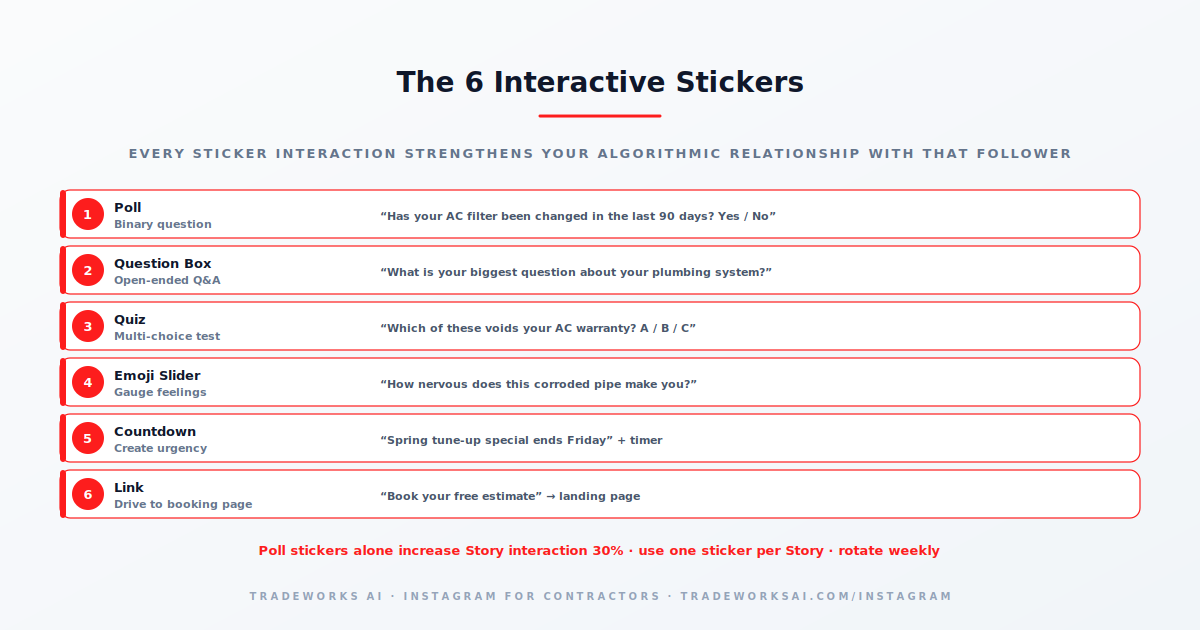
Interactive stickers are what separate a Story that gets viewed from a Story that builds relationships. Every sticker interaction counts as a direct engagement signal to Instagram’s algorithm—stronger than a passive view. Poll stickers alone increase Story interaction rates by approximately 30 percent.
| Sticker | How Contractors Use It | Example |
|---|---|---|
| Poll | Binary questions about home maintenance, service decisions, or fun trade content | “Has your AC filter been changed in the last 90 days? Yes / No” |
| Question Box | Open-ended Q&A that generates DM conversations and content ideas | “What is your biggest question about your plumbing system?” |
| Quiz | Multi-choice knowledge tests about home systems | “Which of these voids your AC warranty? A) Skipping tune-ups B) Using a generic filter C) Both — Answer: C” |
| Emoji Slider | Gauge how followers feel about a topic or situation | “How nervous does this corroded pipe make you?” with a 😱 slider |
| Countdown | Create urgency for seasonal promotions or limited appointments | “Spring tune-up special ends Friday” with countdown timer |
| Link | Drive traffic to booking pages, articles, or specific offers | “Book your free estimate” with link sticker to landing page |
The key principle: every sticker interaction deepens your algorithmic relationship with that follower. A homeowner who votes on your poll today is more likely to see your Reel tomorrow. Stories with stickers do not just drive immediate engagement—they prime the algorithm to distribute your future content to that same person.
Monday: Poll sticker (binary question related to your service)
Tuesday: Question box (open-ended, collect questions for future content)
Wednesday: Quiz sticker (test homeowner knowledge, educational)
Thursday: Emoji slider (fun, low-effort, high-participation)
Friday: Link sticker (drive traffic to booking page or latest article)
Weekend: Share a feed post to Stories with a brief commentary or ask a follow-up question
Highlights are permanent Story collections that live below your bio. Think of them as the five pages of a mini-website that every homeowner browses when they visit your profile for the first time. Highlights with custom branded covers in your brand colors create a polished, professional appearance that signals credibility immediately.
One-slide summaries of each service you offer. For an HVAC contractor: AC Installation, AC Repair, Heating, Duct Cleaning, Maintenance Plans, Indoor Air Quality. Each slide should have the service name, a one-sentence description, and a “Call for a free estimate” CTA. Keep it clean and scannable—this is not the place for paragraphs of text. A homeowner should be able to swipe through all your services in under 30 seconds.
Your best customer reviews from Google, Facebook, Yelp, and Nextdoor, formatted as branded graphics. Include the customer’s first name, city, star rating, and the key quote. Update this Highlight monthly with fresh reviews to keep it current. A homeowner visiting your profile sees your latest five-star reviews within two taps. This is Social Proof pillar content permanently accessible on your profile.
Your strongest visual transformations organized by service type. A corroded coil replacement. A panel upgrade. A full exterior repaint. Each Story in this Highlight should include a clear before image, a brief text overlay explaining the problem, and an after image showing the result. This is your permanent visual portfolio—the proof that you do quality work, accessible to every profile visitor.
Short introductions of your key team members. First name, role, years of experience, and one personal detail or fun fact. A smiling photo or a 10-second video clip of each person. This humanizes your business and activates the Liking principle. A homeowner who has “met” your technician Mike through a Highlight before he arrives at their door is already predisposed to trust him. Culture pillar content, permanently accessible.
A map graphic or neighborhood-by-neighborhood series showing where you work. This is critical for geo-relevance. A homeowner in Riverview who visits your profile needs to confirm within seconds that you actually serve their area. List specific cities, neighborhoods, and zip codes. If you serve a wide area, group by region. This also supports local SEO—when your profile mentions specific locations, Instagram’s search algorithm connects you with users in those areas.
Here is how Stories and Highlights work together as a conversion system—not just a content format:
A homeowner sees your Reel in their Explore feed (discovery via Episode 3 strategy).
They tap your profile to learn more (the profile visit).
Your bio answers three questions: what you do, where, and how to contact you (Episode 1 optimization).
They browse your Highlights: Services confirms you offer what they need. Reviews validates quality. Before/After proves the work. Team introduces the people. Service Areas confirms you cover their neighborhood.
They tap the link in your bio or the Call button (the conversion).
Meanwhile, they follow your account. Your daily Stories keep you at the top of their home screen. When they need service next month, you are the first contractor they think of.
This is the full Instagram funnel for contractors: Reels for discovery, profile for qualification, Highlights for validation, Stories for ongoing visibility, and the link or call button for conversion. Every episode in this series builds one layer of this system.
Three to four Stories per day is the optimal range for contractor accounts. The four-Story daily rhythm—morning departure, midday job-in-progress with sticker, afternoon completion, optional evening tip—takes less than five minutes total. Posting fewer than one Story per day means your profile rarely appears at the top of your followers’ screens. Posting more than seven per day risks viewer fatigue. Three to four maintains visibility without overwhelming your audience.
Yes. Every Story interaction—a poll vote, a question reply, a sticker tap, even just a full view—signals to Instagram that this follower has a relationship with your account. That signal increases the likelihood that the same follower will see your future feed posts, Reels, and carousels in their home feed. Consistent Story posting and sticker usage effectively trains the algorithm to prioritize your account for your most engaged followers.
Update your Reviews and Before/After Highlights monthly with fresh content. Services and Service Areas Highlights only need updates when your offerings or coverage area change. Team Highlights should be updated whenever you hire someone new or when an employee reaches a milestone worth celebrating. A stale Highlight with content from two years ago undermines credibility. A Highlight updated last week signals an active, thriving business.
For under five minutes of daily effort, Stories deliver visibility (top of the home screen), engagement (sticker interactions strengthen algorithmic relationships), conversation (question boxes and polls generate DM leads), and ongoing brand familiarity. Accounts with consistent Story activity receive 1.6 times more profile visits than accounts without. For contractors, more profile visits directly correlate with more calls and bookings. The five-minute daily investment produces compounding returns.
Stories are temporary—they disappear after 24 hours. They are designed for real-time, casual, behind-the-scenes content. Highlights are permanent collections of selected Stories organized into themed categories below your bio. Stories generate daily engagement and visibility. Highlights serve as a browsable reference library for new profile visitors. Both are essential: Stories for retention and relationship, Highlights for conversion and credibility.
Most contractors post inconsistently with low-quality photos and no strategy. The bar is low. The Instagram Audit grades your profile, content pillars, posting cadence, and bio-to-lead pipeline — and identifies the one change that turns followers into booked jobs this month.
Continue the Instagram for Contractors series with Part 7 of 8.
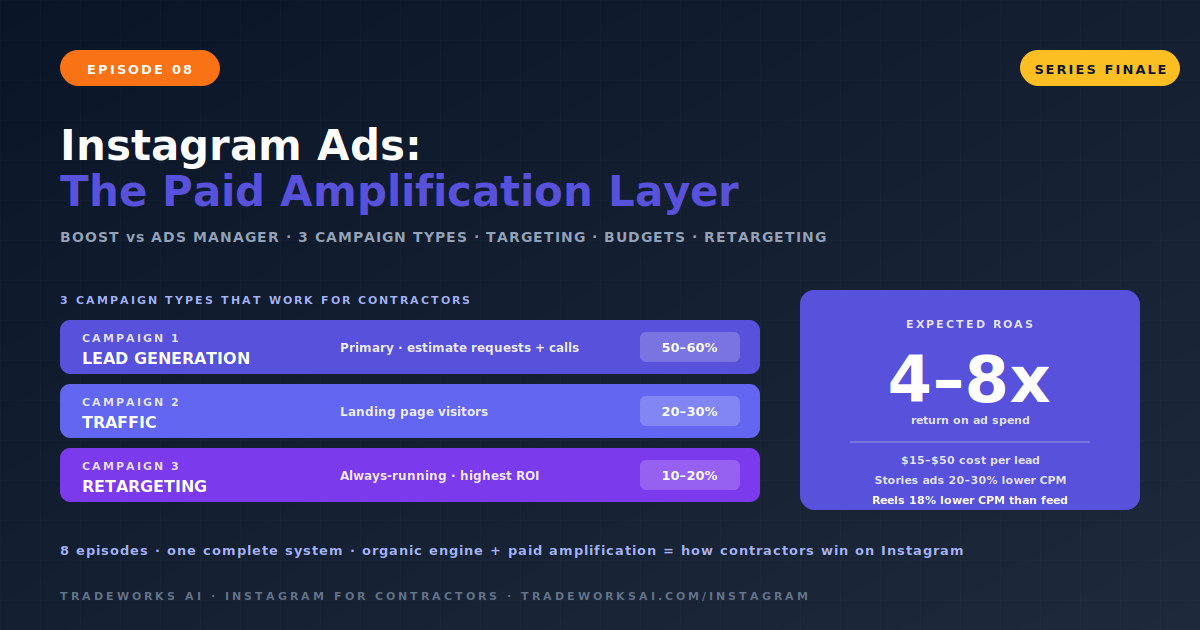
Continue the Instagram for Contractors series with Part 8 of 8.