ServiceTitan vs. Jobber vs. Housecall Pro vs. Zoho One: The Complete FSM Comparison for Contractors
For small contractors with 1–3 employees, Jobber offers the best balance of simplicity, pricing, and route optimization. For growing residential HVAC and plumbing teams of 5–15, Housecall Pro delivers strong marketing automation and sales proposal tools at a mid-market price. For enterprise operations with 20+ trucks and $1M+ revenue, ServiceTitan provides the most comprehensive ERP with revenue-maximizing workflows, though at the highest cost ($245–$500+ per technician/month). For non-standard trades (IT services, solar, custom installers) with complex workflows, Zoho One offers unmatched customization with 50+ apps at ~$37–45 per employee/month. This comparison analyzes the strategic philosophy, CRM, scheduling, mobile app, pricing, and implementation reality of each platform to help contractors with 1 to 25+ employees choose the right FSM software.
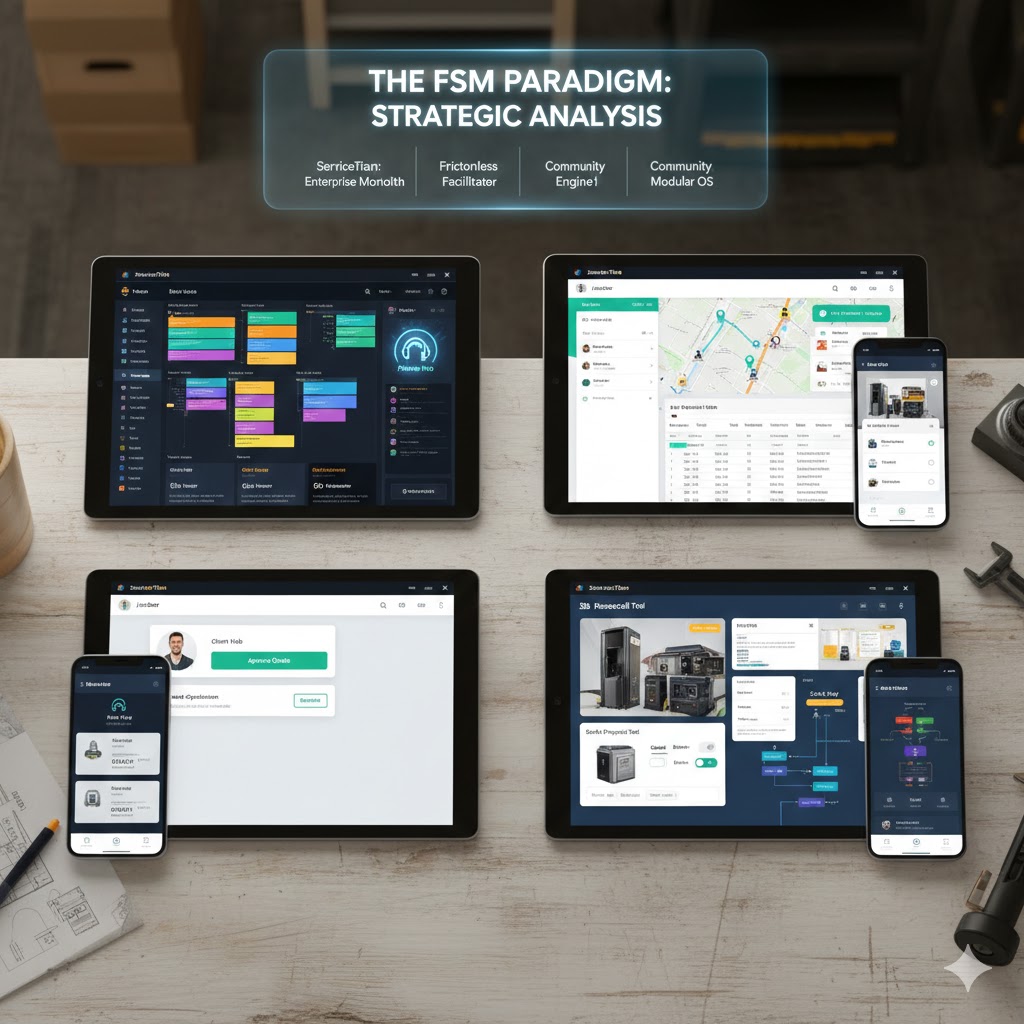
How ServiceTitan, Jobber, Housecall Pro, and Zoho Think About Your Business
To understand the functional differences between these platforms, one must first deconstruct the architectural philosophy driving their development. Software is not neutral; it is opinionated. It embodies the developers' beliefs about how a service business should operate.
ServiceTitan: The Revenue-Maximizing Walled Garden
ServiceTitan was born from the specific, high-pressure environment of residential plumbing and HVAC contracting. Its founders, sons of residential contractors, built the system to solve a specific problem: revenue leakage. Consequently, the architecture of ServiceTitan is designed around the metric of Revenue Per Lead. Every workflow, from the call booking screen to the technician's mobile tablet, is engineered to upsell, cross-sell, and maximize the value of every truck roll.
The platform operates as a "Walled Garden." ServiceTitan's philosophy is that they should own every aspect of the transaction. They do not just integrate with phone providers; they are the phone provider (Phones Pro). They do not just connect to Mailchimp; they built their own marketing automation suite (Marketing Pro). They do not just let you upload a pricebook; they curate industry-standard pricing (Pricebook Pro).
The Implication: This creates a highly cohesive, integrated experience where data flows seamlessly between modules. However, it also creates a high-dependency environment. If a business dislikes ServiceTitan's marketing module, replacing it with a third-party tool is often difficult or results in data silos. The architecture forces the business to adopt ServiceTitan's "best practices." For a chaotic, growing company, this structure is a blessing. For a mature company with established unique processes, it can feel like a straitjacket.
Jobber: The Simplicity-First Platform for All Trades
Jobber's architectural philosophy is fundamentally different. It is built on the belief that software should get out of the way. Jobber targets a "horizontal" market—landscapers, cleaners, pressure washers, and general contractors, in addition to the standard MEP (Mechanical, Electrical, Plumbing) trades. Because it serves such a diverse user base, its architecture cannot be prescriptive. It must be flexible.
Jobber prioritizes User Experience (UX) above almost all else. The interface is designed to be consumer-grade—clean, intuitive, and fast. The philosophy is that a landscaping crew leader should be able to pick up the app and use it with zero training. This focus on "usability as a feature" extends to the end-customer. Jobber's "Client Hub" is a core architectural pillar, creating a permanent, "always-on" digital bridge between the contractor and the homeowner. Unlike ServiceTitan, which focuses on the transaction, Jobber focuses on the relationship flow.
1.3 Housecall Pro: The Community-Led Vertical Specialist
Housecall Pro (HCP) occupies a strategic middle ground. Its architecture is deeply influenced by its massive user community (the "Superpros"). HCP builds what its users shout for. If the community demands "InstaPay" to get cash faster, HCP builds a fintech layer. If they demand postcard marketing, HCP integrates a direct mail engine.
HCP's philosophy is Simplicity with Vertical Depth. It aims to be the "operating system for the Pro." It is less rigid than ServiceTitan but more specialized than Jobber. For example, its recent focus on "Sales Proposal Tools" (Good-Better-Best options) brings it closer to ServiceTitan's revenue-focus, yet it retains the self-service, easy-setup DNA of a smaller app. It is designed to scale with the company, from a single van to a fleet of 20, without the massive implementation hurdle of an enterprise system.
Zoho One: The Customizable Business Operating System
Zoho One is not FSM software. It is a comprehensive Business Operating System that includes an FSM application (Zoho FSM). Its architecture is Modular and Data-Centric. In the other three platforms, the "Job" is the atomic unit of the database. In Zoho, the "Data Record" is the atomic unit, and it can be anything—a lead in Zoho CRM, a project in Zoho Projects, a ticket in Zoho Desk, or a work order in Zoho FSM.
The philosophy here is Commoditized Utility. Zoho believes that businesses should not pay a premium for standard business functions. They offer 50+ enterprise-grade applications for a price lower than a single license of ServiceTitan. However, this architecture requires the business to act as its own "Systems Architect." Zoho provides the bricks (Apps) and the mortar (Zoho Flow/Deluge Script), but the business must build the house. This makes it infinitely customizable but heavily dependent on the technical aptitude of the user.
CRM and Marketing: ServiceTitan vs. Jobber vs. Housecall Pro vs. Zoho
In the modern trade economy, the battle is won before the truck ever leaves the yard. Efficiently capturing leads, nurturing them, and converting them into booked jobs is the primary driver of growth.
Customer Relationship Management (CRM)
ServiceTitan: The Data Vault
ServiceTitan's CRM is built to handle the complexity of "Location-Based" versus "Customer-Based" history. In residential service, a homeowner might move, but the furnace stays. ServiceTitan tracks the equipment at the address, ensuring that when a new owner moves in, the warranty and service history of the unit are preserved. This is a critical differentiator for HVAC and plumbing businesses.
The CRM is also "active." When a customer calls, the integration with Phones Pro triggers a screen pop-up displaying the customer's name, address, outstanding estimates, and "marketing source." This allows the CSR to greet the customer by name and see exactly which marketing campaign drove the call, enabling precise ROI tracking.
Zoho One: The Enterprise Standard
Zoho FSM integrates with Zoho CRM, a world-class, standalone CRM that competes directly with Salesforce and HubSpot. This gives Zoho One users a distinct advantage in complex sales cycles.
- Pipeline Management: Users can build complex, multi-stage sales pipelines. For example, a commercial solar installer can track a lead from "Site Survey" to "Engineering Approval" to "Permitting" to "Contract Signed" within Zoho CRM, and only then push it to Zoho FSM for execution.
- Omnichannel: Zoho CRM integrates with email, social media, and telephony, providing a 360-degree view of the customer that far exceeds the capabilities of Jobber or HCP.
Jobber and Housecall Pro: The "Lite" CRMs
Both Jobber and HCP offer functional, lightweight CRMs. They store customer contact info, job history, and notes.
- Jobber shines with its Client Hub, which puts the CRM data in the hands of the customer. Clients can log in to approve quotes and view past work, reducing administrative burden.
- Housecall Pro offers tagging and segmentation but lacks the deep "pipeline" visualization of Zoho or the "equipment-centric" history of ServiceTitan. It is designed for transactional relationships—get the call, book the job, get paid.
Marketing Automation and ROI Tracking
ServiceTitan: Marketing Pro
ServiceTitan's Marketing Pro is a paid add-on that offers sophisticated ROI tracking. It dynamically inserts tracking phone numbers into digital ads, allowing the business to see exactly how much revenue was generated from a specific Google Ad campaign. It also enables "Review Management" and automated email marketing campaigns based on unsold estimates or aging equipment (e.g., "Your water heater is 10 years old, click here for a discount on replacement").
Housecall Pro: The Automated Marketer
HCP distinguishes itself with built-in Postcard Marketing. A user can set a rule: "3 days after a job is finished, send a physical postcard to the neighbors of that job." This "radius marketing" is a powerful tool for residential trades to build density in a neighborhood. HCP also includes automated email and text campaigns for customer retention (e.g., "Time for your Spring Tune-up") included in higher tiers.
Jobber: The Integration Hub
Jobber takes a different approach. While it has basic quote follow-ups and review requests (via text/email), it relies on integration with Mailchimp for heavy-duty marketing. This means the data sync is not always real-time, and the user has to pay for and manage a separate Mailchimp account. However, Jobber's automated "Invoice Follow-ups" and "Quote Follow-ups" are highly effective at closing the loop on transactional communications.
Zoho One: Marketing Plus
The Zoho suite includes Zoho Campaigns (Email), Zoho Social (Social Media Management), and Zoho SalesIQ (Website Chat/Tracking). A business using Zoho One has a marketing stack that rivals Fortune 500 companies. They can track a visitor on their website, chat with them via a bot, capture the lead into CRM, nurture them with email, and convert them to a job in FSM—all without leaving the ecosystem. The power is immense, but the setup requires a marketing professional to configure.
CRM & Marketing Comparison: ServiceTitan vs. Jobber vs. Housecall Pro vs. Zoho
| Feature | ServiceTitan | Jobber | Housecall Pro | Zoho One (Suite) |
|---|---|---|---|---|
| CRM Depth | High (Location/Equipment focused) | Medium (Client/Job focused) | Medium (Client focused) | Very High (Enterprise CRM) |
| Marketing Automation | Native (Add-on), Revenue-linked | Basic (Integrations needed) | Native (Postcards/Email) | Very High (Full Marketing Suite) |
| Call Tracking | Native (Phones Pro) | Integration (VoIP) | Integration (VoIP) | Native (Telephony integration) |
| Customer Portal | Functional | Excellent (Client Hub) | Functional | Customizable (Zoho Creator) |
| Sales Pipeline | Estimates Dashboard | Basic Quote Status | Sales Proposal Tool | Full Customizable Pipeline |
Table 2.1: CRM & Marketing Capabilities Comparison
Scheduling, Dispatch, and Route Optimization Compared
The dispatch board is the heartbeat of a service business. It is where labor inventory (technician time) is matched with customer demand. The efficiency of this match determines the profitability of the company.
The Dispatch Board Interface
ServiceTitan: The Command Center
ServiceTitan's dispatch board is dense, information-rich, and designed for professional dispatchers working on large monitors. It features Adjustable Capacity Planning, which allows managers to throttle booking availability based on revenue targets or technician skill levels. If the "Plumbing Install" department is overbooked, the system can automatically block off slots.
Skills Matching: A critical feature for complex trades. ServiceTitan allows dispatchers to tag technicians with skills (e.g., "Heat Pump Repair," "Generator Install") and ensures that jobs requiring those skills are only assigned to qualified techs. This prevents the costly mistake of sending a junior tech to a senior job.
Jobber: The Visual Drag-and-Drop
Jobber's dispatch board is celebrated for its clarity. It offers Month, Week, and Grid views. The "Grid View" allows for easy drag-and-drop rescheduling.
User Experience: Jobber is visually intuitive. Unassigned jobs sit in a sidebar, waiting to be dragged onto a technician's schedule. Color-coding by job type helps dispatchers visualize the day at a glance. It is less "data-heavy" than ServiceTitan, making it easier for owner-operators who dispatch from the road.
Housecall Pro: The Map-Centric View
HCP emphasizes the map view. The dispatch board allows you to see where technicians are geographically (via GPS tracking on their phones) and schedule jobs based on proximity.
Real-Time Dispatch: HCP excels at "Uber-style" dispatching, where you can see the technician moving on the map and notify the customer exactly when they are arriving. This is a strong feature for keeping customers happy and informed.
Zoho FSM: The Data Grid
Zoho FSM's scheduling is functional but lacks the fluid interactivity of Jobber. It is often described as "rigid." Appointments are records that need to be created and assigned. While it has a calendar view and a map view, the interface feels more like a database front-end than a dynamic dispatching tool.
Resource Management: It does allow for tracking "Crews" and "Service Territories," which is useful for larger organizations, but the actual act of moving a job from 9 AM to 11 AM often requires more clicks than in Jobber.
3.2 Routing and Optimization: The Efficiency Frontier
Jobber: The Route Master
Jobber is the clear leader for high-frequency, route-based businesses (landscaping, pool service, pest control). Its Route Optimization feature is a "one-click" solution. A user can select 50 jobs for the day, hit "Optimize," and Jobber's algorithm will reorder them to minimize drive time and fuel consumption. This can result in a 20-30% reduction in windshield time.
Strategic Insight: For a landscaping company with 5 crews doing 10 lawns a day, this feature alone pays for the software subscription in fuel savings within the first week.
ServiceTitan: Intelligent Routing
ServiceTitan offers advanced routing that considers real-time traffic and technician starting locations. However, its routing is more focused on "Emergency/On-Demand" service (fitting a broken pipe call into a gap) rather than "Route Density" (mowing 50 lawns in a specific order). It is powerful but aimed at a different use case.
Housecall Pro and Zoho FSM: Basic Routing
HCP and Zoho offer map views where a dispatcher can visually see that "Job A is near Job B," but they lack the algorithmic "batch optimization" capabilities of Jobber. In HCP, route optimization is often a manual process of dragging jobs around on the map until they look efficient. For businesses with low job counts (2-3 jobs per day per tech), this is sufficient. For high-volume routes, it is a bottleneck.
Mobile App Comparison: Which FSM Has the Best Technician App?
The software in the office is useless if the technician in the field refuses to use it. The mobile app is the point of execution.
The Technician Experience
Jobber: Simplicity and Speed
Jobber's app is designed for speed. Technicians can clock in, view job details, add notes, and take photos with minimal taps. The UI is clean and responsive.
Adoption: Because it is so simple, older technicians or those resistant to technology find Jobber easier to adopt. It doesn't overwhelm them with data; it just shows them what they need to do next.
Housecall Pro: The Modern Standard
HCP's app is highly rated (4.6 stars) and focuses on communication. Technicians can trigger "On My Way" texts with a single tap. The app handles "InstaPay" beautifully, allowing techs to take a photo of a check or scan a credit card and have the funds deposited immediately.
Stability: Users report high stability, with fewer crashes than competitors. It is a robust tool for the everyday "Pro".
ServiceTitan Mobile 2.0: The Sales Tool
ServiceTitan's app is not just a job log; it is a sales presentation device. It is designed to be handed to the homeowner.
Visual Pricebook: This is the "killer app" of ServiceTitan. A technician can pull up a menu of services (e.g., "Silver Repair," "Gold Repair," "Platinum System Replacement"), complete with photos and videos, and let the customer choose. This psychological "choice architecture" is proven to increase average ticket size by shifting the conversation from "price" to "value".
Complexity: The app is feature-rich, which means it has a steeper learning curve. It requires training to use effectively.
Zoho FSM: The Utility Player
The Zoho FSM app covers the basics: check-in, check-out, notes, and photos.
- UI/UX: It is often criticized for being "clunky" and slower than the native apps of Jobber or HCP. It feels like a mobile interface for a database rather than a native mobile experience.
- Offline Limitations: While it has offline capabilities, they are less robust than ServiceTitan's. Sync errors can occur if data is not managed carefully.
Offline Mode: Which FSM Works Without Internet in Basements and Rural Areas?
For trades working in basements, rural areas, or large concrete commercial buildings, offline mode is non-negotiable.
- ServiceTitan: Robust offline mode. Techs can access the full pricebook, fill out forms, and save data. It syncs automatically when the connection is restored.
- Jobber: Allows viewing the schedule and creating text notes and timers offline. However, interactive features (like processing a payment or optimizing a route) require a connection. Data is stored locally and syncs upon reconnection.
- Housecall Pro: Historically a weak point, but recent updates have added "Offline Viewing" of job details. However, full editing capabilities are still limited compared to ServiceTitan's deep offline architecture.
- Zoho FSM: Offers an "offline-first" architecture for critical tasks (trips, work orders), but complex lookups (like querying the CRM for customer history) obviously fail without signal.
Quoting, Invoicing, and Payments: ServiceTitan vs. Jobber vs. Housecall Pro vs. Zoho
The goal of every job is to get paid. The friction between "Job Done" and "Cash in Bank" defines the cash flow health of the business.
Quoting and Estimating
ServiceTitan: The Multi-Option Master
As mentioned, ServiceTitan excels at Multi-Option Quoting. The system allows the creation of templated proposals that present "Good, Better, Best" scenarios. This is automated; a tech selects "Water Heater Replacement" and the system populates the three tiers of options with pricing, images, and financing monthly payments calculated automatically.
Jobber: Professional and Clean
Jobber's quotes are clean, professional PDFs or web links.
- Optional Line Items: Jobber allows "Optional Line Items" where a customer can check a box to add a service (e.g., "Add Gutter Cleaning +$150") directly on the quote before approving it. This is a great "passive upsell" feature.
- Consumer Experience: The quote is sent via text/email, and the customer approves it digitally with a signature.
Housecall Pro: The Sales Proposal Tool
HCP has recently introduced a "Sales Proposal Tool" that mimics ServiceTitan's multi-option capability. It allows for rich visuals and tiered options. However, this feature is locked behind the higher-tier "Max" plan ($329/mo), making it less accessible for smaller users.
Zoho One: The DIY Quote
Zoho FSM uses Zoho Books for estimates.
- Customization: You can customize the quote template extensively (HTML/CSS) to look exactly how you want.
- Limitations: It lacks the native "interactive selection" (Good/Better/Best toggles) of the others. To achieve this, a user would need to build a custom solution using Zoho Creator or use a workaround in the estimate template.
Invoicing and Payments
Jobber: Automatic Payments
Jobber is a leader in Recurring Payments. For membership-based businesses (e.g., monthly lawn care), Jobber can automatically charge the customer's card on file after the job is marked complete, without any human intervention. This "Auto-Bill" feature is a massive time saver and cash flow stabilizer.
Housecall Pro: InstaPay
HCP focuses on speed. InstaPay allows businesses to have card funds deposited into their bank account in minutes, not days (for a small fee). This is critical for smaller businesses operating on tight margins where cash flow is oxygen.
ServiceTitan: Progress Billing
ServiceTitan supports Progress Billing (AIA style), which is essential for construction and large commercial jobs where you bill by percentage of completion (e.g., "Rough-in 50% complete"). Jobber and HCP struggle with this complex, construction-style billing, often requiring workarounds.
Zoho One: The Accounting Powerhouse
Zoho FSM does not just "sync" with accounting; it is accounting. The integration with Zoho Books (a full QuickBooks competitor) means that when an invoice is created in FSM, it is instantly a ledger entry in Books.
Implication: There are no "sync errors." In Jobber or ServiceTitan, the sync to QuickBooks Online can sometimes break, or double-enter data. In Zoho, the data lives in one unified database ecosystem. This provides the most accurate real-time financial reporting of any option.
FSM Pricing Comparison 2026: What ServiceTitan, Jobber, Housecall Pro, and Zoho Actually Cost
Pricing transparency and structure vary wildly. A "cheap" monthly subscription can become expensive once hidden fees and add-ons are calculated.
ServiceTitan: The Premium Investment
ServiceTitan uses a Quote-Based Pricing Model. They do not publish rates, but industry research indicates:
- Implementation Fee: A one-time fee ranging from $5,000 to $15,000+ depending on company size. This covers data migration, training, and setup.
- Monthly Subscription: Estimated between $245 and $500 per technician per month.
- Hidden Costs:
- Integration Fees: Connecting third-party software can cost $3,000 - $10,000 annually in API fees.
- Pro Modules: Marketing Pro, Phones Pro, and Pricebook Pro are often additional monthly costs per user.
- Training: Additional "bootcamps" or extended training can cost $2,000+.
Verdict: It is the most expensive option, requiring a minimum annual commitment often exceeding $30,000 for even small shops.
Pricing last verified: February 2026. FSM pricing changes frequently — verify with vendors before making decisions.
Jobber: Transparent and Scalable
Jobber uses a clear Tiered Subscription Model:
- Core: ~$49/mo (1 user). Basic quoting and scheduling.
- Connect: ~$169/mo (Up to 5 users). Adds QuickBooks sync, automated reminders, and routing.
- Grow: ~$349/mo (Up to 15 users). Adds two-way texting, quote add-ons, and marketing automation.
Analysis: For a 10-person team, Jobber costs ~$349/mo total. ServiceTitan would cost ~$2,500/mo. The delta is massive. Jobber is extremely capital efficient for growing companies.
Housecall Pro: The Mid-Market Value
HCP also uses tiered pricing but locks critical features behind the high wall:
- Basic: ~$49/mo (1 user).
- Essentials: ~$129/mo (1-5 users).
- Max: ~$329/mo. This tier is required for the Sales Proposal Tool, Employee Time Tracking, and advanced reporting.
Warning: Many growing businesses find themselves forced onto the "Max" plan earlier than expected to access features that are standard in other platforms, eroding the price advantage over Jobber.
Zoho One: The Disruptive "All-Employee" Model
Zoho One uses a unique All-Employee Licensing model:
- Cost: Approximately $37 - $45 per employee per month (billed annually).
- The Catch: You must buy a license for every single employee on your payroll, even the janitor or the warehouse guy who never touches a computer.
- The Math: If you have 10 techs and 2 office staff (12 total), the cost is ~$540/mo.
- The Value: For that $540, you get the FSM software, PLUS a CRM (value $100/mo), Accounting software (value $70/mo), Help Desk (value $50/mo), and 40 other apps.
- Standalone Option: If you don't want the whole suite, you can buy just Zoho FSM for ~$30-$45/user/month. However, this loses the "ecosystem" advantage.
Section 7: Implementation, Support, and The Human Factor
Software is only as good as the team's ability to use it.
Time-to-Value (TTV)
- Jobber & Housecall Pro: TTV = Days. These are "Self-Serve" SaaS products. An owner can sign up on Friday, watch a few YouTube tutorials, upload a customer CSV, and start dispatching on Monday. The UI is designed for intuitive discovery.
- ServiceTitan: TTV = Months. Implementation is a "Project." It involves cleaning data, setting up pricebooks, configuring the GL (General Ledger) codes, and training staff. It is a full organizational transformation. This is powerful but disruptive.
- Zoho One: TTV = Weeks to Months. Because Zoho is a "box of Legos," you cannot just turn it on. You have to build it. You need to define your workflows: "What happens when a Lead becomes a Job?" "Which fields map to the Invoice?" Most businesses will need to hire a "Zoho Partner" (consultant) to set this up correctly, adding to the cost and time.
Customer Support Ecosystems
- ServiceTitan: Offers White-Glove Support. Large accounts get a dedicated Customer Success Manager. They host "Pantheon," a massive user conference. The support is designed to teach you how to run a better business, not just how to fix a bug.
- Jobber: Offers Award-Winning Multi-Channel Support. Their phone and chat support (Mon-Fri 8am-7pm EST) is renowned for being responsive and friendly. The "Jobber Academy" provides excellent generic business advice for trades.
- Housecall Pro: Leverages Community Support. The "Housecall Pro Superpros" Facebook group is one of the most active communities in the trades. Users often get answers from other users faster than from official support. Official support is solid but has had complaints about availability during off-hours.
- Zoho: Functional but Distant. Support is primarily offshore (India-based). While technically competent, there is often a cultural and "trade-lingo" barrier. A Zoho support agent might know how to fix a "database relation error" but might not understand what "dispatching a call" implies for a plumber. Users often rely on third-party consultants for contextual help.
Which FSM Should You Choose? Recommendations by Team Size and Trade
Based on the exhaustive analysis above, we provide the following strategic recommendations tailored to specific business archetypes.
The "Solopreneur" or Small Team (1-3 Trucks)
Recommendation: Jobber
Reasoning: At this stage, you need to minimize administrative friction. Jobber's ease of use, transparent pricing, and "Client Hub" allow you to look like a big company without the overhead. The route optimization helps you maximize your day.
Alternative: Housecall Pro if you really want the postcard marketing feature to grow your local density.
The "Growing Residential Fleet" (5-15 Trucks, HVAC/Plumbing)
Recommendation: Housecall Pro or Jobber (Connect/Grow Plans)
Reasoning: You are in the "Scale-Up" phase. You need solid dispatching and cash flow tools (InstaPay). ServiceTitan is likely too expensive and heavy.
Decision Point: If your growth strategy is "Marketing-Led" (heavy direct mail, neighborhood saturation), go with Housecall Pro. If your strategy is "Efficiency-Led" (tight routes, maintenance contracts), go with Jobber.
The "Enterprise" or Private Equity Backed (20+ Trucks)
Recommendation: ServiceTitan
Reasoning: Once you cross ~20 trucks, the inefficiencies of the smaller platforms start to cost more than ServiceTitan's license fees. You need the inventory controls, the granular reporting, the "Good-Better-Best" sales tools, and the call center management features. The ROI from increasing average ticket size by 10% will pay for the software.
The "Non-Standard" Trade (IT Services, Custom Installers, Solar)
Recommendation: Zoho One
Reasoning: Your workflow doesn't fit the "Dispatch -> Fix -> Bill" model of a plumber. You have projects, milestones, sub-contractors, and complex assets.
Solution: Zoho One allows you to build a custom system. You can use Zoho Projects for the installation phase, Zoho Desk for the maintenance tickets, and Zoho CRM for the complex sales cycle. It is the only platform flexible enough to handle "weird" workflows without breaking.
The "High-Volume Route" Business (Lawn Care, Pool, Pest)
Recommendation: Jobber
Reasoning: ServiceTitan is useless for you (too heavy). Housecall Pro's routing is too manual. Jobber's Batch Route Optimization and Batch Invoicing are purpose-built for your business model. You can run a 500-client lawn care business on Jobber with one office person.
The Future of FSM: Where ServiceTitan, Jobber, Housecall Pro, and Zoho Are Headed
The landscape of Field Service Management is bifurcating. On one side, ServiceTitan is building a "vertical monopoly," attempting to become the operating system for the entire residential trade industry, justifying its high cost with deep, revenue-generating features. On the other side, Jobber and Housecall Pro are democratizing access to powerful tools, empowering smaller businesses to compete on professionalism and speed. Zoho One remains the powerful outlier, offering a "do-it-yourself" enterprise stack for those brave enough to build it.
For the trade business owner, the decision is not just about features; it is about trajectory.
- Are you building a sales organization that happens to fix pipes? Choose ServiceTitan.
- Are you building a highly efficient, customer-loved local service brand? Choose Jobber.
- Are you building a community-focused growing operation? Choose Housecall Pro.
- Are you building a complex, multi-faceted technical service firm? Choose Zoho One.
The "perfect" software does not exist. There is only the software that best aligns with your current operational complexity and your future growth ambitions. For a structured approach to evaluating your current stack, see our contractor software audit guide. If you need help choosing and implementing the right FSM for your business, our AI and software consulting team can guide you through the decision. Choose wisely; this partnership will define your operational reality for years to come.
Frequently Asked Questions About FSM Software for Contractors
Need Help Choosing the Right FSM Platform?
Our FSM implementation and consulting team can help you evaluate platforms and make the right strategic decision for your trade business.
Get Expert Help Choosing Your FSM Platform