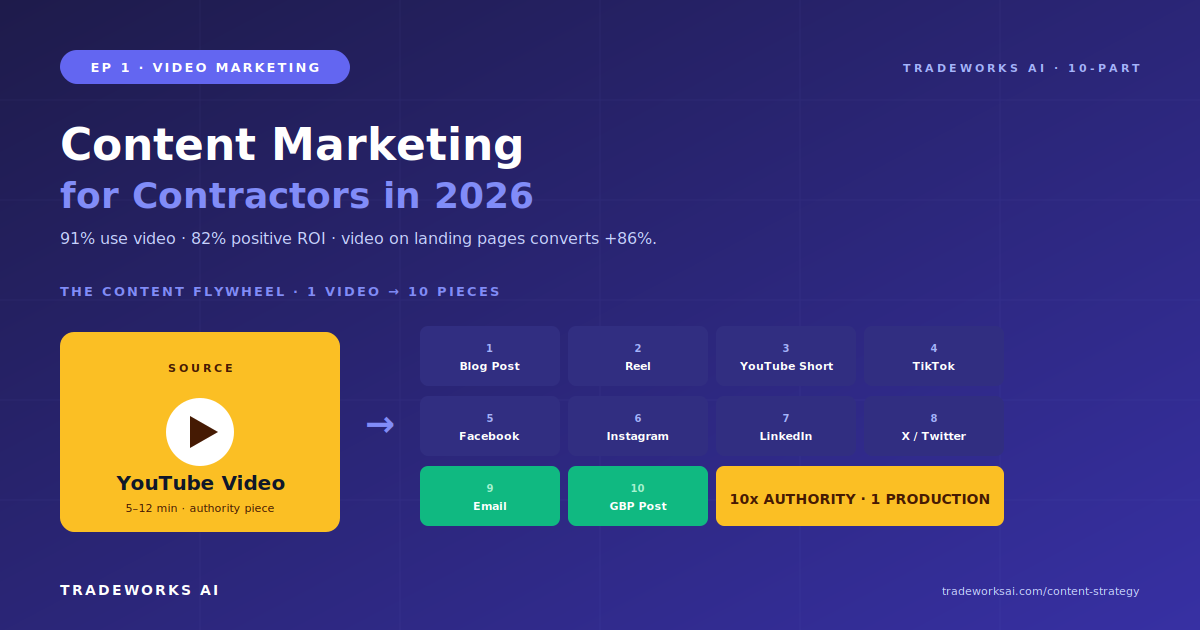
Video Marketing · Part 1
Content Marketing: Videos & Blog Posts That Generate Leads
Continue the Video Marketing series with Part 1 of 10.
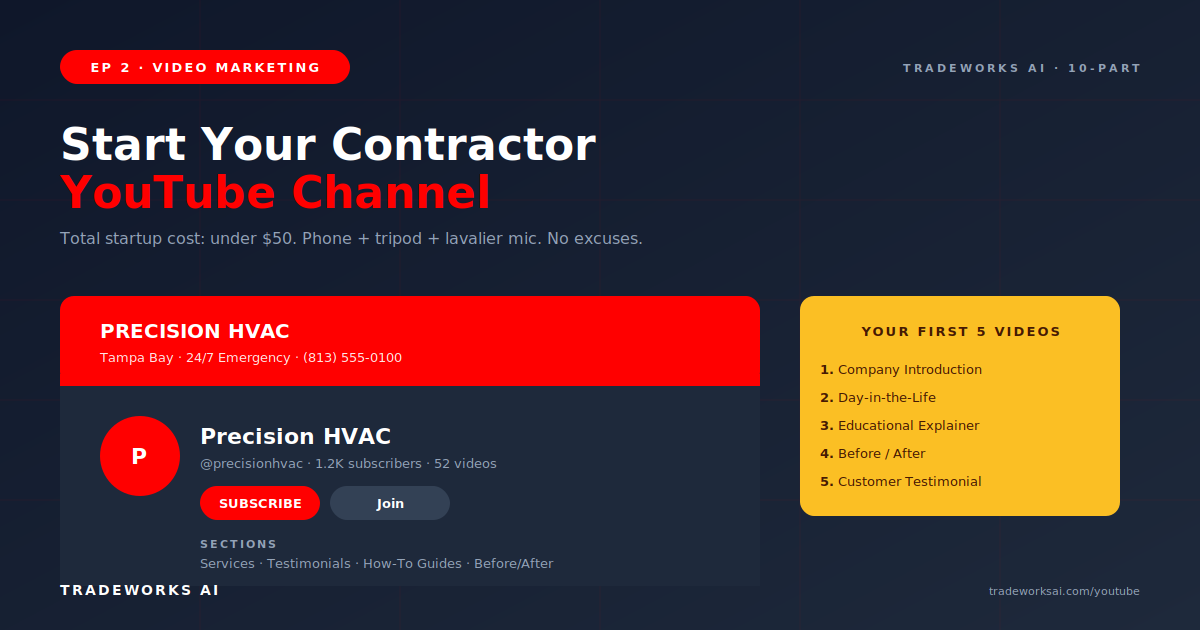
Starting a YouTube channel for a contractor business requires five setup steps: create a Google account dedicated to the business, set up the YouTube channel with a consistent brand name and logo, write the About section with service keywords and location, create a channel banner displaying the phone number and service area, and film the first video. The recommended first 5 videos are: an introduction to your company (who you are, what you do, where), a day-in-the-life walkthrough, a how-to or educational explainer on your most common service question, a before-and-after transformation, and a customer testimonial. Equipment needed: a smartphone with 1080p or 4K capability, a $15 phone tripod, and a $25 clip-on lavalier microphone. Total startup cost: under $50. The YouTube thumbnail formula for contractors is: face plus bold text plus before/after or result image.
Step 1: Create a dedicated Google account for the business if one does not already exist. Use the business email, not a personal account. Step 2: Create the YouTube channel using the business name. Ensure the name matches your Google Business Profile exactly for entity consistency. Step 3: Upload your logo as the profile picture and create a channel banner (2560 by 1440 pixels) displaying your phone number, service area, and a one-line value proposition. Step 4: Write the About section with a 150-word description including your primary services, service area cities, and phone number. Include your website URL. Step 5: Create channel sections for future organization: Services, Testimonials, How-To Guides, Before/After.
Video 1: Company Introduction. 2 to 3 minutes. Who you are, what you do, where you serve, and why customers should choose you. Film at your shop or on a clean job site. This becomes your channel trailer. Video 2: Day in the Life. Follow a service call from dispatch to completion. 3 to 5 minutes. Shows the real human side of the work. Video 3: Educational Explainer. Answer your most frequently asked customer question. Why is my AC blowing warm air? What causes low water pressure? When should I upgrade my panel? 5 to 8 minutes. This is your first SEO-targeted video. Video 4: Before/After Transformation. Film the problem, film the solution, show the result. 2 to 3 minutes. The most visual content type. Video 5: Customer Testimonial. Ask a satisfied customer the 5 questions from Episode 4’s framework. 60 to 90 seconds.
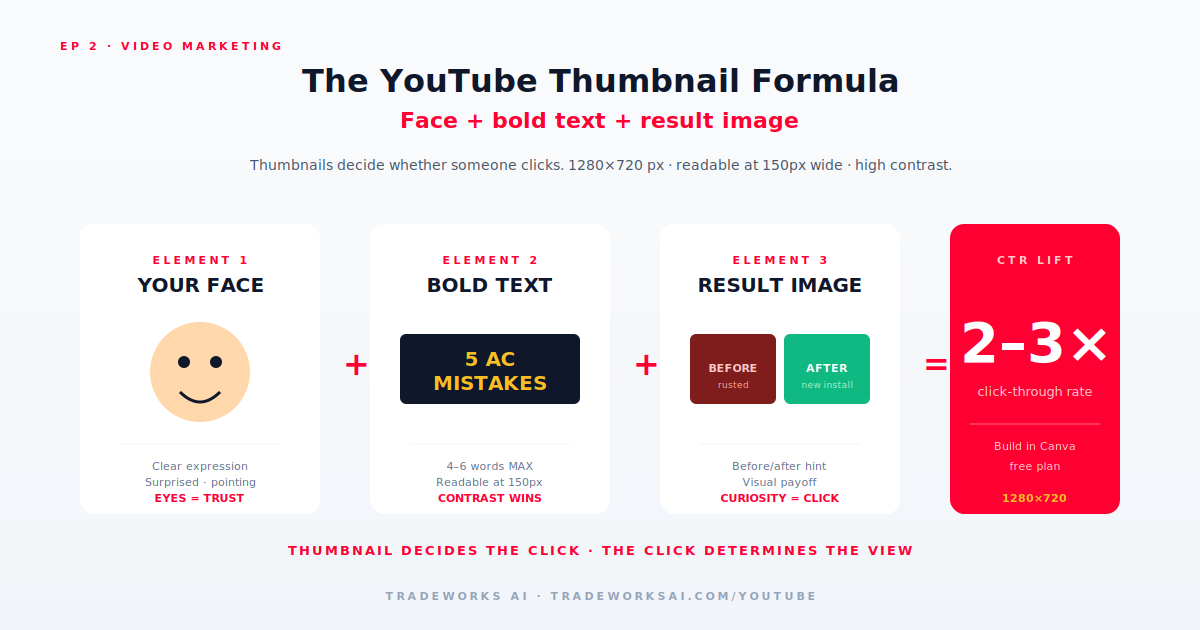
YouTube thumbnails determine whether someone clicks your video. The contractor thumbnail formula has three elements: your face (or your technician’s face) with a clear expression, bold text (4 to 6 words maximum, readable at thumbnail size), and a visual result or before/after hint. Example: Trevor’s face with a surprised expression, text reading 5 AC MISTAKES, and a background showing an AC unit. Thumbnails should be 1280 by 720 pixels, high contrast, and readable at 150 pixels wide. Create thumbnails in Canva using the free plan.
YouTube is the second-largest search engine. Optimize every video for search. Title: include the primary keyword and location. Example: AC Repair Tampa: 5 Signs Your System Needs Service. Description: first 150 characters appear in search results—front-load the keyword and value proposition. Include timestamps, your website URL, and phone number. Tags: 5 to 10 tags including service keywords, location keywords, and your brand name. The title and first 150 characters of the description are the two most important SEO elements.
Starter kit (under $50): smartphone with 1080p+ camera, $15 phone tripod, $25 clip-on lavalier microphone. Intermediate kit ($100 to $300): add a ring light ($30), wireless lavalier microphone ($60 to $100), and a gimbal/stabilizer ($80 to $150). Professional kit ($500+): dedicated camera, shotgun microphone, professional lighting, editing software subscription. Start with the starter kit. Upgrade only when you have 20+ videos published and consistent publishing rhythm. Equipment is never the bottleneck—content ideas and consistency are.
Subscribers are a vanity metric for contractors. A video answering AC repair Tampa with 500 views from local homeowners generates more leads than a viral video with 100,000 views from people outside your service area. Focus on local search intent, not subscriber count.
One video per week is the recommended cadence. Consistency signals quality to the YouTube algorithm and builds viewer expectations. One video per week for 12 months produces 52 videos—a substantial authority library.
An ad stops working the day you stop paying. A video published today still drives leads in 2030. The Content Audit grades your existing content engine, identifies the highest-leverage gaps, and shows you the one weekly habit that compounds into an authority library that generates leads for years.
Continue the Video Marketing series with Part 1 of 10.
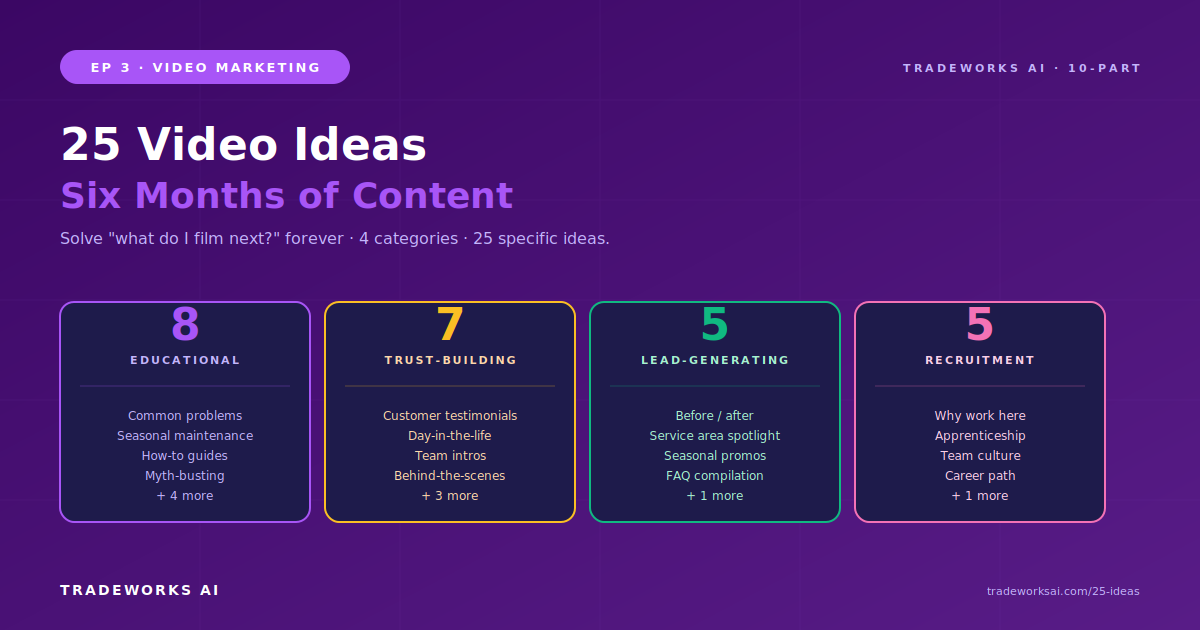
Continue the Video Marketing series with Part 3 of 10.