Video Marketing · Part 4
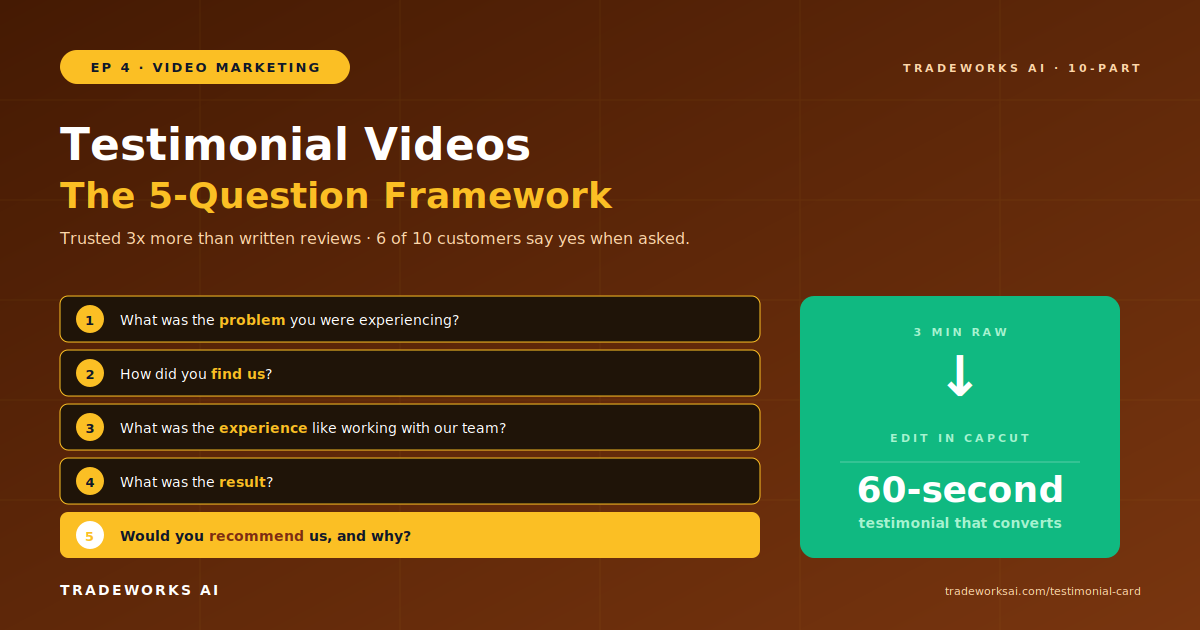
5-Question Framework for Customer Testimonial Videos
Continue the Video Marketing series with Part 4 of 10.
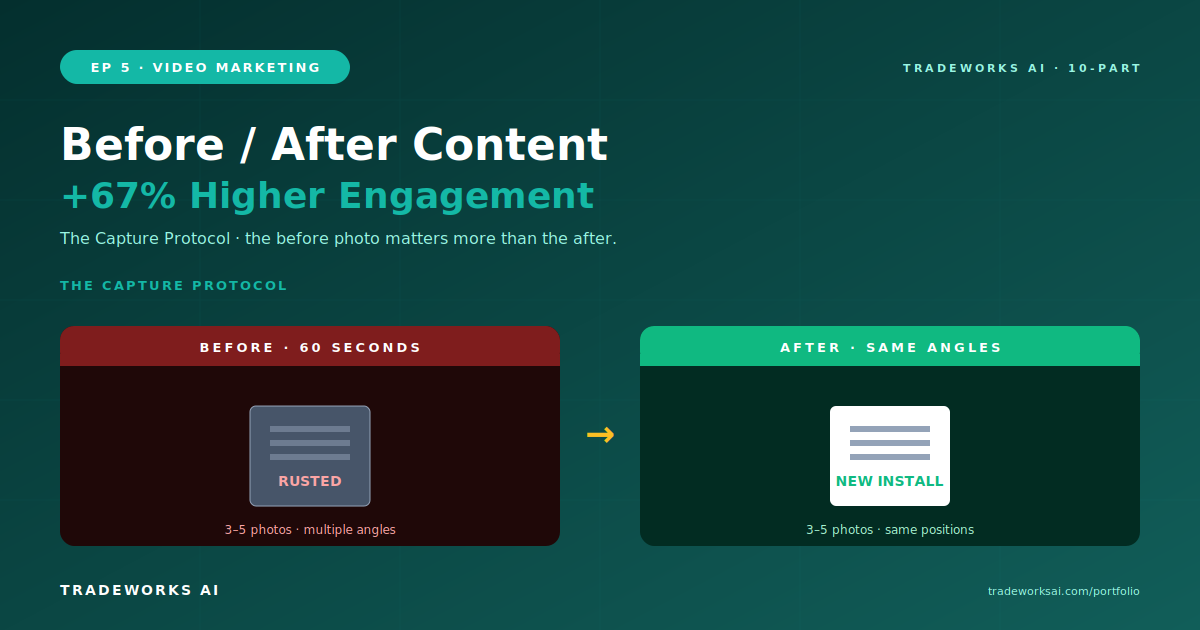
Before-and-after content for contractors follows the Capture Protocol: photograph every job at three stages (before work begins, during the process, and after completion) using a smartphone. Take 3 to 5 photos at each stage from the same angles. For video, record a 10-second pan of the problem, a brief narration of what you are doing, and a 10-second pan of the completed result. Before-and-after content generates 67% higher engagement than any other contractor social media post type. The Reveal Technique for maximum engagement: show the before state, describe the problem, build anticipation, then reveal the after with a visual transition. Distribute to your website portfolio page (slider-style comparison), YouTube, Instagram (carousel or Reel), Facebook, and Google Business Profile. Every completed job is a content opportunity. The before photo matters more than the after—you cannot recreate it once work begins.
Before-and-after content generates 67% higher engagement than any other post type for contractor businesses. The reason is visual proof. A homeowner considering an AC installation can read a description of your work. Or they can see a rusted, failing 20-year-old unit replaced with a clean, new system. The visual proof is instant, visceral, and impossible to fake. Contractors have a natural advantage over nearly every other industry: you create dramatic visual transformations every day on the job. Most just do not document them.
Before you start any job, take 3 to 5 photos of the problem from multiple angles. This is the most critical step—you cannot recreate the before state once work begins. During the job, capture 2 to 3 photos or a brief video showing the work in progress. After completion, take 3 to 5 photos from the same angles as the before shots. Total time: 60 seconds at each stage. For video: record a 10-second slow pan of the problem area, narrate what the issue is and what you are going to do (15 to 20 seconds), and record a 10-second slow pan of the completed result. Total video capture time: under 2 minutes per job.
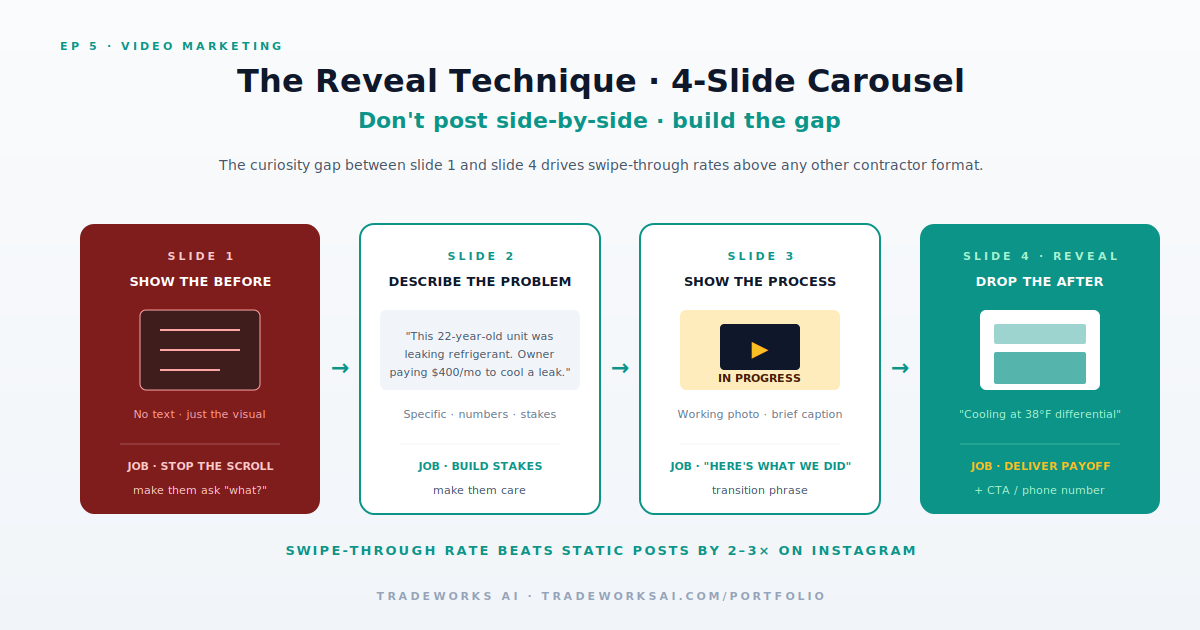
For maximum engagement on social media and YouTube, do not simply post before and after photos side by side. Use the Reveal Technique. Start with the before state. Describe the problem in detail. Build anticipation with a transition phrase: here is what we did. Then reveal the after with a dramatic visual transition—a swipe, a cut, or a slider. The reveal creates an emotional response that a static comparison does not. On video, the reveal moment is the hook. On Instagram carousels, make the before photo slide 1, the problem description slide 2, the process slide 3, and the after reveal slide 4. The curiosity gap between slides 1 and 4 drives swipe-through rates.
Your website needs a dedicated portfolio or gallery page showcasing before-and-after comparisons. Use a slider plugin (Twenty20, JuxtaposeJS, or similar) that lets visitors drag a divider between the before and after images. Include a brief description of each project: the problem, the solution, the service type, and the neighborhood or city. Organize by service type so visitors can find examples relevant to their need. This page serves double duty: it converts website visitors into leads and it provides evergreen visual proof for social media distribution.
Start with 10 to 15 high-quality before-and-after pairs organized by service type. Add 2 to 3 new pairs per month from completed jobs. A portfolio page with 30+ transformations becomes a powerful conversion asset.
No. Smartphone photos taken at the job site are more authentic and trusted than professional studio-style photography. Consistency in angles (same position for before and after) matters more than camera quality.
An ad stops working the day you stop paying. A video published today still drives leads in 2030. The Content Audit grades your existing content engine, identifies the highest-leverage gaps, and shows you the one weekly habit that compounds into an authority library that generates leads for years.
Continue the Video Marketing series with Part 4 of 10.
Continue the Video Marketing series with Part 6 of 10.